Work Plan Templates Guide for 2025
Discover how work plan templates transform project management. Learn to build and use effective templates to align teams and achieve your goals.
So, what exactly is a work plan template? Think of it as your project's blueprint. It’s a pre-built framework that lays out all the essential pieces—the tasks, the timelines, and who’s doing what—to get you from point A to point B. It's the strategic map that guides your team from a jumbled, chaotic start to a successful, organized finish.
From Project Chaos to Focused Clarity
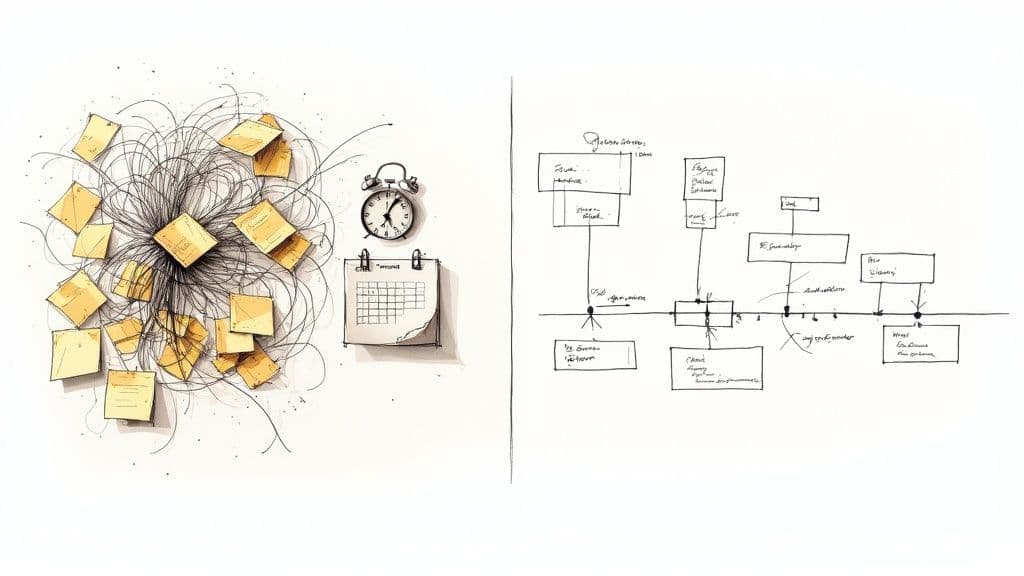
Have you ever been on a project that felt like it was going nowhere fast? Deadlines are constantly missed, people are working on the wrong things, and the original goal is a distant memory. That’s project chaos, and it’s a frustratingly common problem. Without a clear plan, teams end up working in silos, making bad assumptions, and wasting a ton of effort.
This is where a good work plan template completely changes the game. It takes all that ambiguity and turns it into a clear, actionable roadmap that everyone can actually follow. It’s so much more than a simple to-do list; it’s a communication tool that gets everyone aligned from day one.
Creating a Single Source of Truth
By using a structured template, you create one central place for all your critical project information. This simple move alone cuts through so much confusion and makes sure every single person on the team is on the same page.
A well-designed template helps your team:
- Define clear objectives: It forces you to get specific about what "done" really looks like before anyone even starts working.
- Establish accountability: Every task gets an owner. There’s no more guessing about who’s responsible for what.
- Track progress effectively: With clear milestones and deadlines, you can easily see how things are moving along and spot potential problems before they blow up.
A great work plan template doesn’t just organize tasks; it organizes people. It translates a high-level strategy into a day-to-day guide that empowers your team to execute with confidence and precision.
This structured approach isn't just a nice-to-have. In a recent survey, a staggering 90% of executives said having a strategic plan is essential for hitting business goals. This really highlights how critical structured planning tools are. You can dig deeper into these findings by checking out the full report on corporate strategic plans.
When you start using work plan templates, you’re not just managing a project. You’re building a foundation for consistent, repeatable success.
The Anatomy of an Effective Work Plan Template
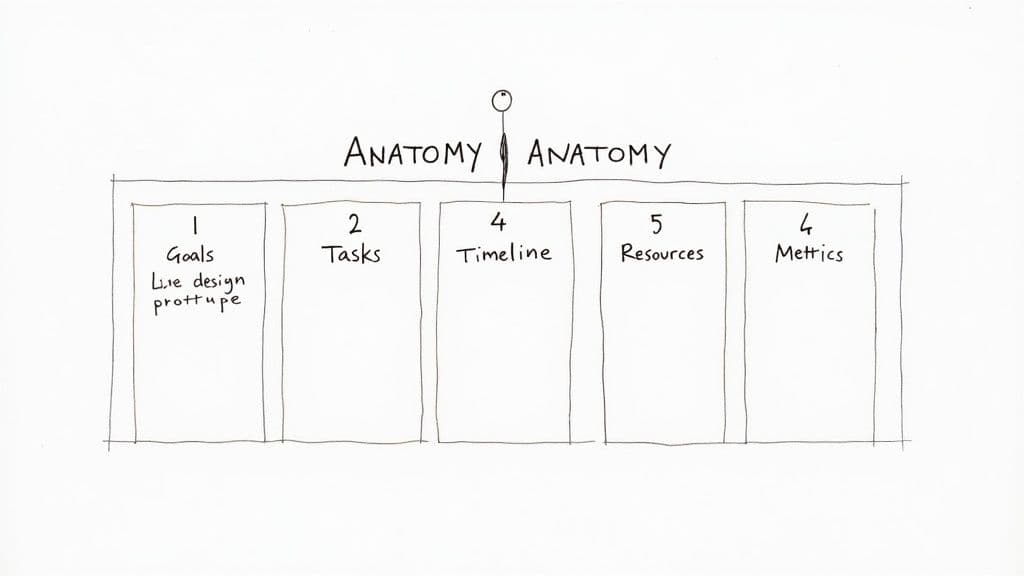
So, what’s the real difference between a work plan template that just sits in a folder and one that actually drives a project forward? It all comes down to its anatomy. Think of a great template as a recipe—miss a key ingredient, and the final dish just won't work. A truly effective template ensures nothing gets missed.
At its core, a solid work plan answers the five classic questions for any project: why are we doing this, what needs to be done, when will it happen, who is doing it, and how well did we do?
Let's break down these essential building blocks.
Clear Goals and Objectives
This is your "why." Before you even think about tasks and timelines, you have to know what success looks like. A vague goal like "improve marketing" is basically useless because nobody knows what it means.
A strong objective, on the other hand, is specific and measurable. For example: “Increase organic website traffic by 20% in Q3 by publishing 12 SEO-optimized blog posts.” That single sentence gives everyone on the team a clear finish line to run toward.
Actionable Tasks and Milestones
Once you know your destination, it's time to map out the "what" and "how." This means breaking that big goal down into every single task needed to get there. I've found that structuring tasks with a simple "Verb-Noun" format—like "Draft social media copy" or "Analyze competitor ads"—keeps things incredibly clear.
You can then group these smaller tasks into larger milestones. These act as major checkpoints, helping the team feel a sense of progress and see how their day-to-day work connects to the bigger picture.
Realistic Timelines and Deadlines
Here’s where planning gets real—the "when." Every single task and milestone needs a start date and an end date. This isn't just about setting deadlines; it's about managing expectations and making sure you have the people and resources you need at the right time.
A good timeline also helps you spot dependencies, which are those tricky tasks that can't start until another one is finished. Seeing these upfront is the secret to preventing the bottlenecks that can completely derail a project.
Resource Allocation
This part covers the "who" and the "what" you need to get the job done. It’s where you assign clear ownership for every task, which puts an end to the dreaded, "I thought you were doing that."
It also means listing out all the resources you'll need, such as:
- Team Members: Who is responsible for what?
- Budget: How much money is set aside for each part of the project?
- Tools: What software, equipment, or subscriptions are required?
For bigger, more complicated projects, collecting this information is a critical first step. You can often use specialized project management forms to gather all these details before you even start building the plan.
Success Metrics and KPIs
Finally, we get to the "how well." How will you actually know if you succeeded? This is where you define your Key Performance Indicators (KPIs)—the specific metrics you'll track to see if you hit your goals.
These metrics must connect directly back to your objectives. If your goal was to boost traffic by 20%, then your number one KPI is the percentage increase in organic traffic. For projects with very specific deliverables, a detailed IT Statement of Work (SOW) can be a lifesaver. It helps lock in the scope and success criteria from the very beginning, so everyone agrees on what "done" truly means.
Of course. Here is the rewritten section, focusing on a more natural, human-expert tone while keeping all original elements.
Why Work Plan Templates Are a Strategic Game-Changer
It’s easy to see how a good work plan template keeps you organized. But their real power goes much deeper than just creating a neat and tidy to-do list. Think of them less as a checklist and more as a secret weapon for your business—one that directly boosts your chances of success and gets everyone laser-focused on what truly matters.
When you use a template consistently, it becomes a powerful tool for getting your entire team on the same page. By laying out the goals, who’s doing what, and when it’s due, you kill the ambiguity that so often sinks projects. Suddenly, everyone is rowing in the same direction, which means less wasted effort and fewer crossed wires between departments.
This isn't just about being more efficient; it's about building a business that lasts. The numbers don't lie: research has shown that businesses with a solid work plan are twice as likely to make it past the five-year mark. If you're curious, you can find more insights on business planning for longevity.
It Builds a Culture of Real Accountability
A work plan template doesn't just track tasks; it fosters an environment where accountability is baked into the process from day one. When every single task has a name and a deadline next to it, there’s no room for the classic "I thought someone else was handling that" excuse.
This clarity is empowering. People know exactly what they’re responsible for and can take genuine ownership of their work. It also makes it easy for everyone to see progress, celebrate successes, and tackle problems head-on without any finger-pointing. Accountability stops being a buzzword and starts being how you work.
A work plan template transforms abstract goals into concrete actions with clear owners. It's the bridge between saying what you'll do and actually getting it done, creating a culture where commitments are visible and results are measurable.
It Helps You Spot Trouble Before It Starts
One of the biggest, and often overlooked, benefits of a template is its ability to help you see around corners. The simple act of mapping out a project forces you to think critically about dependencies, resource constraints, and potential roadblocks long before they become full-blown emergencies.
Let’s say a marketing team is gearing up for a big product launch. Using a template helps them game out the entire timeline and spot risks early:
- Budget Overruns: Is our ad spend estimate realistic? The template forces them to allocate and track every dollar from the get-go.
- Resource Conflicts: Do we have our graphic designer booked for that critical final week? The plan puts scheduling conflicts right out in the open.
- Timeline Delays: What’s our backup if the product video isn’t ready on time? They can build in a few buffer days or line up a Plan B.
This kind of foresight moves you from a reactive, fire-fighting posture to a proactive, strategic one. Instead of lurching from one crisis to the next, you’re managing potential problems before they can derail your project. It's a simple change that saves an incredible amount of time, money, and stress.
Choosing the Right Work Plan Template
Finding the perfect work plan template isn't about some magical, one-size-fits-all solution. Think of it more like choosing the right tool for a job. A simple to-do list might be perfect for a solo freelancer's daily tasks, but it would completely buckle under the weight of a complex project spanning multiple departments.
The secret is to match the tool to the task. Before you even start looking, take a moment to understand the unique DNA of your project. Ask yourself: How big is my team? How many moving parts are we juggling? What are the typical expectations in our industry? Answering these questions first will point you toward a template that actually helps, rather than hinders, your workflow.
Evaluate Your Project's Complexity
For simple projects with a clear, direct goal, a basic checklist or a task board template is often more than enough. These keep things straightforward, letting you track progress without getting lost in the weeds.
But what about bigger initiatives with a ton of dependencies, where Task B can't start until Task A is complete? That's when you need something with more muscle. Exploring tools like Gantt charts for seamless project management can be a game-changer here. They give you a powerful visual timeline, showing you exactly how all the puzzle pieces fit together over the long haul.
This decision tree gives you a good visual for how to line up your template choice with what you want to achieve.
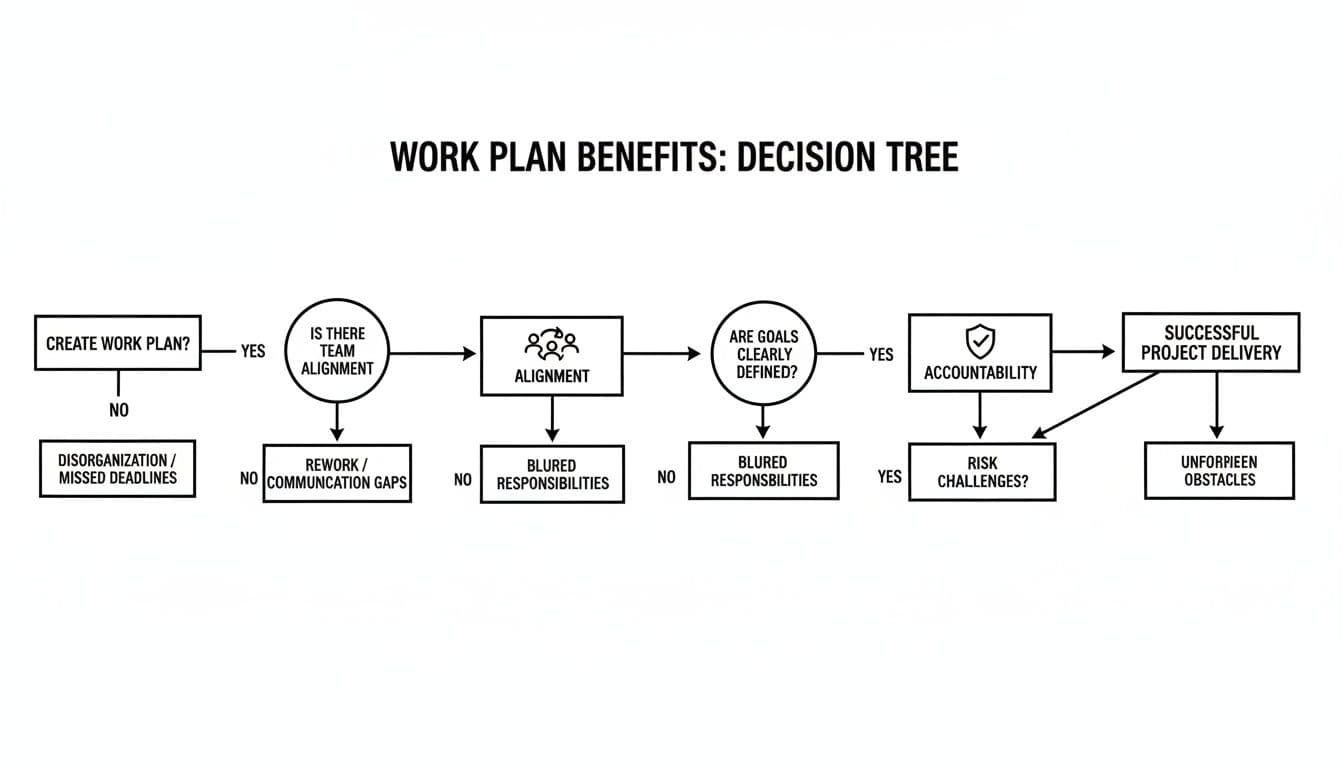
As you can see, when your template supports team alignment, accountability, and risk management, you're setting yourself up for a successful outcome.
Consider Your Team and Workflow
The way your team gets work done is a huge piece of the puzzle. An Agile team that thrives on short, iterative sprints will feel right at home with a Kanban board. The classic "To Do," "In Progress," and "Done" columns offer a flexible, visual way to manage workflow and adapt to changes quickly.
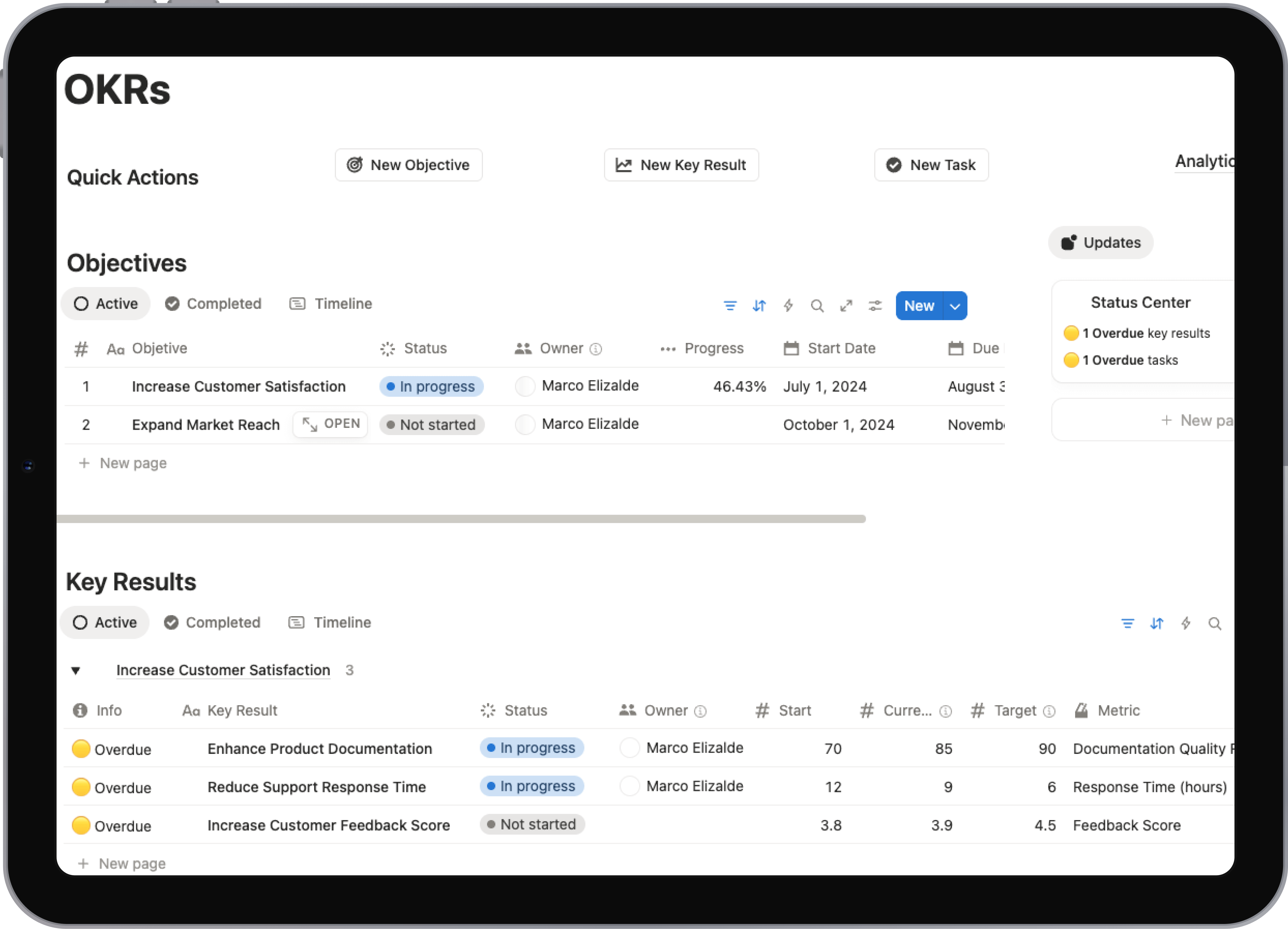
On the other hand, if you're outlining long-term business goals for the C-suite, a high-level strategic plan template is a much better fit. It’s less about the day-to-day grind and more about big-picture objectives and key results (OKRs).
The best work plan template is one that feels natural to your team. If it’s a pain to update or requires a week of training, people will just stop using it—no matter how many cool features it has.
If you’re looking for a system that can bend and shape to almost any workflow, from simple checklists to massive project roadmaps, it’s worth checking out different platforms. You can get some great ideas by looking at these powerful Notion project management templates, which show just how adaptable modern tools can be.
Choose the Right Format
Finally, think about the format itself. Spreadsheets are familiar and easy to access, but they can get messy and unwieldy on larger projects. Dedicated project management software, on the other hand, brings powerful features like automation and reporting to the table, but often comes with a higher price tag and a steeper learning curve.
Choosing the right format for your work plan template is a critical step. Below is a quick comparison to help you weigh the pros and cons of the most common options.
Comparing Work Plan Template Formats
| Format | Best For | Pros | Cons |
|---|---|---|---|
| Spreadsheets (Excel, Google Sheets) | Small teams, simple projects, budget-conscious planning. | Highly accessible, flexible, and familiar to most users. | Can become cluttered; lacks advanced features like automation and real-time collaboration. |
| Document Editors (Word, Google Docs) | Strategic plans, proposals, and text-heavy reports. | Easy for writing detailed descriptions and narratives. | Poor for tracking dynamic tasks and timelines; not visually intuitive for project flow. |
| Project Management Software (Asana, Trello) | Agile teams, complex projects with multiple dependencies. | Built-in collaboration tools, automation, and reporting. | Can be expensive; may have a learning curve for new users. |
| Note-Taking Apps (Notion, Evernote) | Individuals and small teams who need a customizable "all-in-one" workspace. | Extremely flexible; can combine tasks, notes, and databases in one place. | Can be overwhelming to set up; might lack the robust reporting of dedicated PM tools. |
Ultimately, the goal is to find a format that your team will actually use consistently. The right choice makes work smoother, while the wrong one just adds another layer of friction.
How to Customize and Implement Your Template
 A great work plan template is a fantastic starting point, but its real power comes alive when you make it your own. Think of a template as a generic blueprint. It's solid, but you need to tweak it to fit your team's specific project, workflow, and personality. Without that personal touch, it’s just another document that won’t get you exactly where you need to be.
The first step is molding that template to fit your reality. This isn't just about filling in the blanks; it's about adding the specific details and fields that reflect how your team actually gets work done. It’s like tailoring a suit—the basic pattern is there, but the custom fit is what makes it work perfectly.
Making the Template Your Own
Before you even think about rolling it out, spend some time making the template an indispensable part of your team's toolkit. A few thoughtful adjustments can make a world of difference in whether people use it or ignore it.
Here are a few ideas to get you started:
- Custom Fields: Does your team need to track a "Budget Code," a specific "Client Contact," or which "Department" is responsible? Add columns for the data that’s critical to your process. This keeps everything in one place.
- Color-Coding: A splash of color can make a plan instantly scannable. Use it to signal task priority (red for urgent, yellow for medium) or status (green for done). It’s a simple visual cue that communicates a lot of information quickly.
- Integrations: Connect your plan to the tools your team already lives in. Think notifications in Slack or linked documents in Google Drive. The goal is to make the work plan a central hub, not another app to check.
These small changes turn the template from an impersonal mandate into a resource that feels like it was built just for them.
Bringing Your Team on Board
Let’s be honest: even the most perfectly designed template is useless if your team doesn't buy into it. The human side of this is just as critical as the technical setup. In fact, poor communication is a top reason why 1 in 4 change efforts fail. Getting your team on board isn’t a nice-to-have; it's everything.
Kick things off by framing the new work plan as a solution, not another chore. Show them how it solves common headaches like missed deadlines, fuzzy priorities, or confusion about who’s doing what. When people understand what’s in it for them, they’re far more likely to get on board.
A work plan is only effective when it becomes a living document. It should be a constant reference point that guides daily work, not a static file that gets created once and then forgotten.
To make sure it doesn't just collect digital dust, weave it into your team's existing habits. Make it a standard agenda item in your weekly check-ins. This creates a natural rhythm for keeping it updated and ensures everyone is on the same page about what’s done and what’s next. That consistent engagement is what makes a work plan truly work.
Bringing Your Plans to Life for Lasting Success
You’ve made it through the weeds of project chaos and are now standing on the other side with a clear path forward. We've walked through how work plan templates give your projects a solid backbone, helping you set clear goals, line up your resources, and keep an eye on what really matters. You’re ready to pick the right framework and mold it to fit the way your team actually works.
But let’s be honest—a template is just a starting point. It’s a great foundation, but the real success comes from what you build on top of it: consistent action and open communication. The plan truly comes alive when it stops being a static document and becomes the team's go-to guide for making daily decisions and staying on the same page.
To get there, you’ll need to weave the plan into your team’s regular rhythm with check-ins and updates. Great teamwork is the engine that drives this, and improving how everyone works together is non-negotiable. For a little help on that front, check out our guide on boosting collaboration in project management.
The real win isn't just creating a perfect plan. It's building a sustainable cycle of planning, doing, and adjusting as you go. Your work plan is the tool that makes it all possible.
You're now set to move past basic to-do lists and start planning with real intention. Grab these ideas, find a template that clicks with your vision, and start turning those big goals into tangible results. The road to organized success is right in front of you—it's time to start walking.
Frequently Asked Questions
Even with the best templates, you’re bound to have questions as your team gets the hang of a new process. Let's tackle some of the most common ones that pop up when people start using work plans.
How Detailed Should My Work Plan Be?
This is the classic "Goldilocks" problem—you need it to be just right. The goal is to give your team enough clarity to act without drowning them in so much detail that the plan itself becomes a chore.
A good rule of thumb? Let the project's complexity guide you. If you're coordinating a huge, multi-stage launch, you’ll want to break down every major milestone into smaller, concrete tasks. But for a quick internal initiative, a simple checklist of key deliverables might be all you need.
What Is the Difference Between a Work Plan and a Project Plan?
It's easy to see why these get mixed up, but there's a key distinction. A project plan is the big, formal blueprint for a specific, time-bound project. It's comprehensive, often covering everything from budget and risk analysis to stakeholder communication strategies.
A work plan is much more focused on the doing. It’s the action-oriented guide that can live inside a larger project plan or stand on its own for ongoing work, smaller tasks, or even just one person's weekly to-do list. Think of it as the "how-to" manual for getting a specific job done.
How Often Should I Update My Work Plan?
Your work plan needs to be a living, breathing document. If you just set it and forget it, it quickly becomes useless.
An out-of-date work plan is worse than no plan at all. It creates confusion and leads people to work off incorrect assumptions, actively undermining the clarity you're trying to build.
For most teams, a weekly review and update cycle is the sweet spot. Tying this to a regular team check-in meeting is a great way to build the habit. This rhythm keeps the plan a reliable source of truth, helping everyone stay aligned and make decisions based on what’s actually happening. Consistency is everything—make updating the plan a non-negotiable part of your weekly workflow.
Ready to stop building from scratch and start executing with clarity? The Flowtion Complete Bundle gives you a full suite of battle-tested Notion templates to manage every aspect of your work and life.