Time Boxing Planner Guide for 2025
Stop juggling tasks and start directing your focus. This guide shows you how to build and use a time boxing planner to achieve deep work and real productivity.
A time boxing planner isn't just a fancy to-do list; it's a complete shift in how you approach your work. The basic idea is to assign a fixed time block—a "box"—to every single task on your list. You're essentially making appointments with yourself to get specific things done.
This simple change moves the focus from what you need to do to when you’re actually going to do it.
Why Time Boxing Is a Game Changer for Productivity
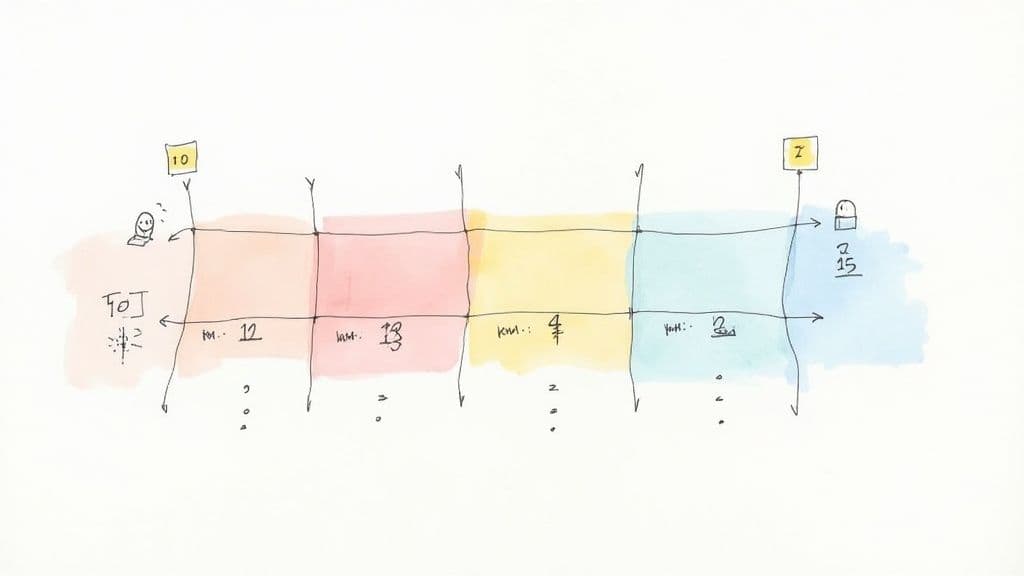
Ever get to the end of the day feeling like you were busy all day but got nothing important done? That’s the classic failure of a traditional to-do list. It’s just a long, guilt-inducing list of tasks with no real plan for getting them done. You waste a ton of mental energy just deciding what to tackle next, and let's be honest, we usually pick the easy, low-impact stuff first.
Time boxing flips that entire dynamic on its head. When you assign a start and end time to a task, you kill decision fatigue right then and there. Your calendar becomes your guide, telling you exactly what to work on and for how long. It also forces you to be brutally realistic about what you can actually accomplish—no more trying to cram 12 hours of work into an 8-hour day.
Creating Intentional Focus and Clarity
The real magic of time boxing is how it protects your attention. Each block on your calendar acts like a mini-deadline, creating a healthy sense of urgency that helps you stay focused and tune out distractions. You stop trying to multitask and instead pour all your energy into one thing at a time.
This structured way of working is incredibly effective for a few key reasons:
- It beats procrastination. Committing to a specific time slot makes it so much easier to start those big, intimidating tasks you’ve been avoiding.
- It keeps perfectionism in check. A fixed time limit forces you to focus on getting the task done within the window, not making it perfect. Good enough is often, well, good enough.
- It makes your progress tangible. Seeing those completed blocks stack up on your calendar gives you a real sense of accomplishment and builds momentum to keep you going.
This isn't just about feeling good, either. Studies have shown that time boxing can increase your task completion rate by up to 30%. It’s a method used by everyone from tech CEOs to successful freelancers to guard their most valuable asset: time.
Time Boxing vs. Traditional To-Do Lists
When you put the two methods side-by-side, the difference becomes incredibly clear. One is about deliberate, focused action, while the other often leads to scattered attention and feeling overwhelmed.
Here’s a quick breakdown of how they stack up.
| Feature | Time Boxing Planner | Traditional To-Do List |
|---|---|---|
| Focus | On a single, scheduled task | Jumps between multiple tasks |
| Planning | Proactive (planning when to work) | Reactive (deciding what to do next) |
| Effort | Forces realistic time estimates | Often ignores time constraints |
| Outcome | Deliberate progress on priorities | Busy work with unclear impact |
Ultimately, this is all about improving operational efficiency on a personal level.
By treating your time with the same respect you'd give a meeting with your boss, you take back control over your day and guarantee your most important work gets the focus it deserves. It’s less about managing time and more about managing your attention.
Choosing the Right Time Boxing Planner for You
So, what's the perfect time boxing planner? Honestly, it's not a one-size-fits-all thing. The best tool is simply the one you'll actually use day in and day out, the one that clicks with how you already work. Before you go building some elaborate system, it’s worth thinking about what you really need.
The decision pretty much comes down to two camps: physical planners or digital tools. Each has its own vibe and its own trade-offs. A physical planner gives you that tactile, screen-free satisfaction that can really help with focus. On the other hand, digital planners offer flexibility and automation that paper just can't match.
Physical vs. Digital Planners
The old pen-and-paper versus digital calendar debate is still around for a reason. Your personality and work style play a huge role in which one will feel right.
-
Physical Planners (Notebooks, Journals): These are fantastic if you love a hands-on approach. There’s something about physically writing down your time boxes that makes them feel more concrete and intentional. They’re simple, you won’t get a notification popping up, and they never run out of battery. The big downside? They’re rigid. Rescheduling often means a messy scribble-out or rewriting the whole day.
-
Digital Planners (Notion, Google Calendar, Apps): This is where adaptability shines. A meeting gets pushed back? A task takes twice as long as you thought? No problem—just drag and drop to rearrange your entire day. Digital tools also come with powerful perks like recurring tasks, automated reminders, and easy collaboration. The catch, of course, is that a world of digital distractions is always just one click away.
It's clear people are looking for better ways to manage their time. The global market for calendars and planners was valued at $443 million and is projected to hit $609 million by 2032. That growth tells a story: we're all searching for tools that combine old-school reliability with modern convenience. You can find more details on this growing market over at 24marketreports.com.
Questions to Guide Your Decision
To figure out what's best for you, get real with yourself. Ask a few honest questions about how you work. Your answers will point you in the right direction.
What’s your tolerance for setup? A paper planner is ready to go the second you buy it. A tool like Notion, however, requires you to invest some time upfront to build a system that truly works for you. Do you enjoy tinkering and customizing your tools, or do you just want to open it and start planning?
How often do your plans change? If your days are constantly in flux, the flexibility of a digital planner is a lifesaver. But if your schedule is pretty consistent and predictable, the structure of a paper planner might actually feel more grounding and help you stick to your commitments.
Do you need to work with others? This one’s a big deal. If you’re sharing schedules, coordinating with a team, or assigning tasks, a digital platform is practically non-negotiable. Shared calendars or a collaborative space like Notion make teamwork seamless.
Are you a visual thinker? Both options can cater to this. With paper, you can get creative with colored pens, highlighters, and different layouts. Digital tools fight back with automated color-coding, different calendar views (day, week, month), and the ability to link your time boxes directly to project files and notes.
The best time boxing planner is an active partner in your productivity, not just a passive record of your to-do list. Choose the tool that feels intuitive and makes you want to engage with it every day.
In the end, there's no wrong choice. I know plenty of incredibly organized people who use a hybrid system—maybe a digital calendar for appointments and a simple notebook for their daily time box breakdown. The most important thing is to start with whatever feels easiest and builds the least amount of friction. That’s how you’ll build a habit that sticks.
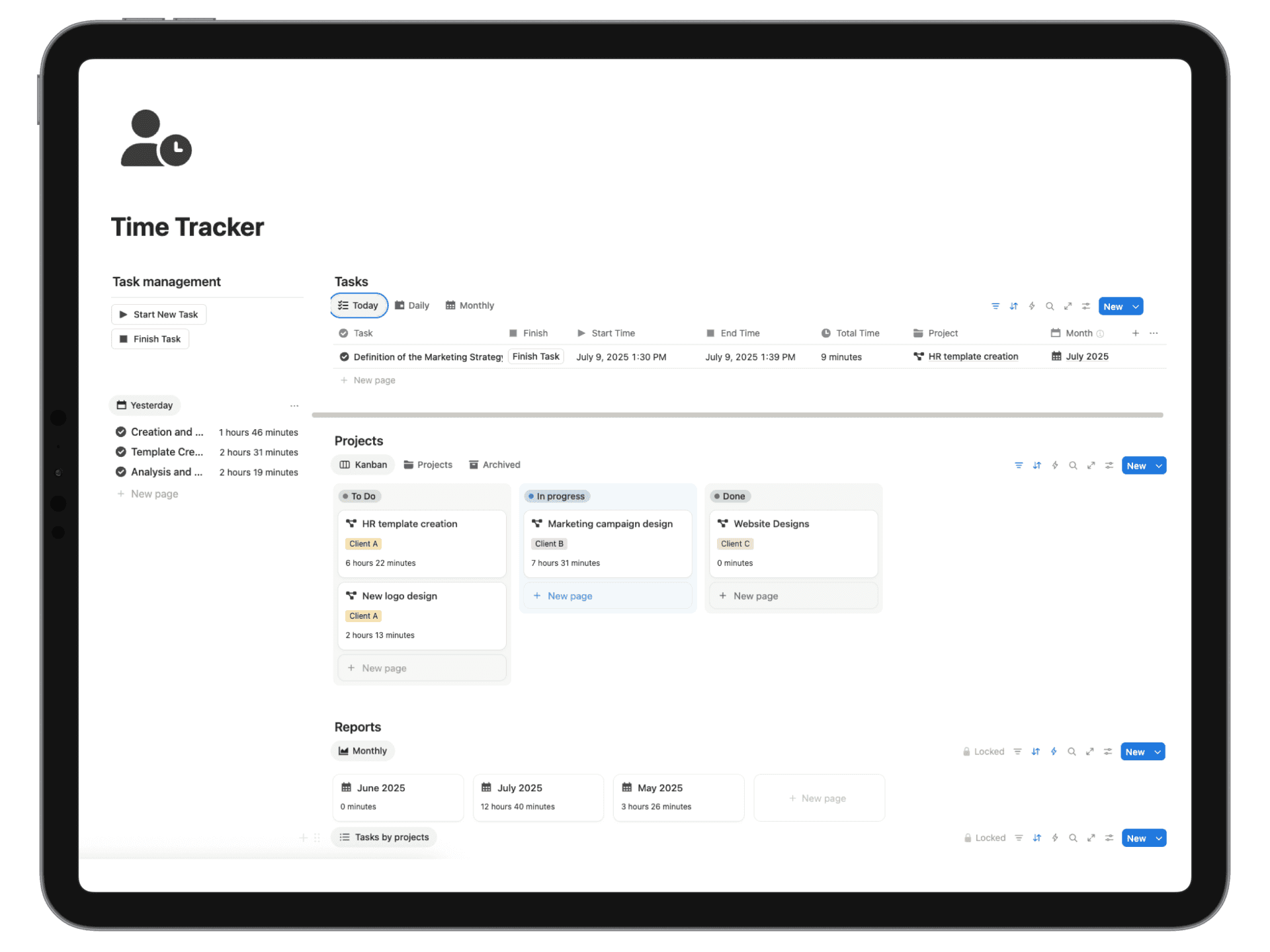
How to Build a Time Boxing Planner in Notion
Alright, let's get our hands dirty and move from theory to action. Building your own time boxing planner in Notion isn't about wrestling with complicated formulas. It’s about creating a simple, flexible engine to run your day. Forget the intimidation of a blank page; we’re going to build a practical system from scratch that you can start using immediately.
The secret to a great Notion setup is almost always a single, solid database. This isn't just a to-do list; it's the dynamic foundation that will feed every calendar, daily schedule, and dashboard you create. Nailing the properties from the start is what makes the system work for you, not against you.
Setting Up Your Core Task Database
First things first, create a new page in Notion and choose the "Database - Full Page" option. Give it a straightforward name like "Master Task List" or "My Time Boxes." This is where every single task, no matter how big or small, is going to live. Now, let's set up the properties—these are the columns that give each task its context.
Here are the properties I've found to be absolutely essential:
- Task Name (Title Property): This is the default property where you'll type what you need to do. Simple.
- Status (Select Property): Keep this clean. Options like "Not Started," "In Progress," and "Done" are all you really need to get going. You can always add more complexity later if you find you need it.
- Priority (Select Property): I stick with a classic "High," "Medium," and "Low" system. Adding colors to these tags is a game-changer for getting a quick visual read on your list.
- Time Estimate (Number Property): This is where the magic starts. Set the format to minutes. Be honest with yourself here; learning to create accurate estimates is a skill you'll hone over time.
- Due Date (Date Property): This is the task's final, non-negotiable deadline. It's different from the day you actually plan to work on it.
- Do Date (Date Property): This is the heart of the whole system. This is the date property you’ll use to schedule the task onto your calendar. Critically, you need to enable the "End date" and "Include time" toggles. This is what lets you create specific, schedulable time blocks.
With just these few properties, you've built a powerful engine for capturing, organizing, and scheduling everything on your plate. Now it's time to build the dashboard that lets you actually drive it.
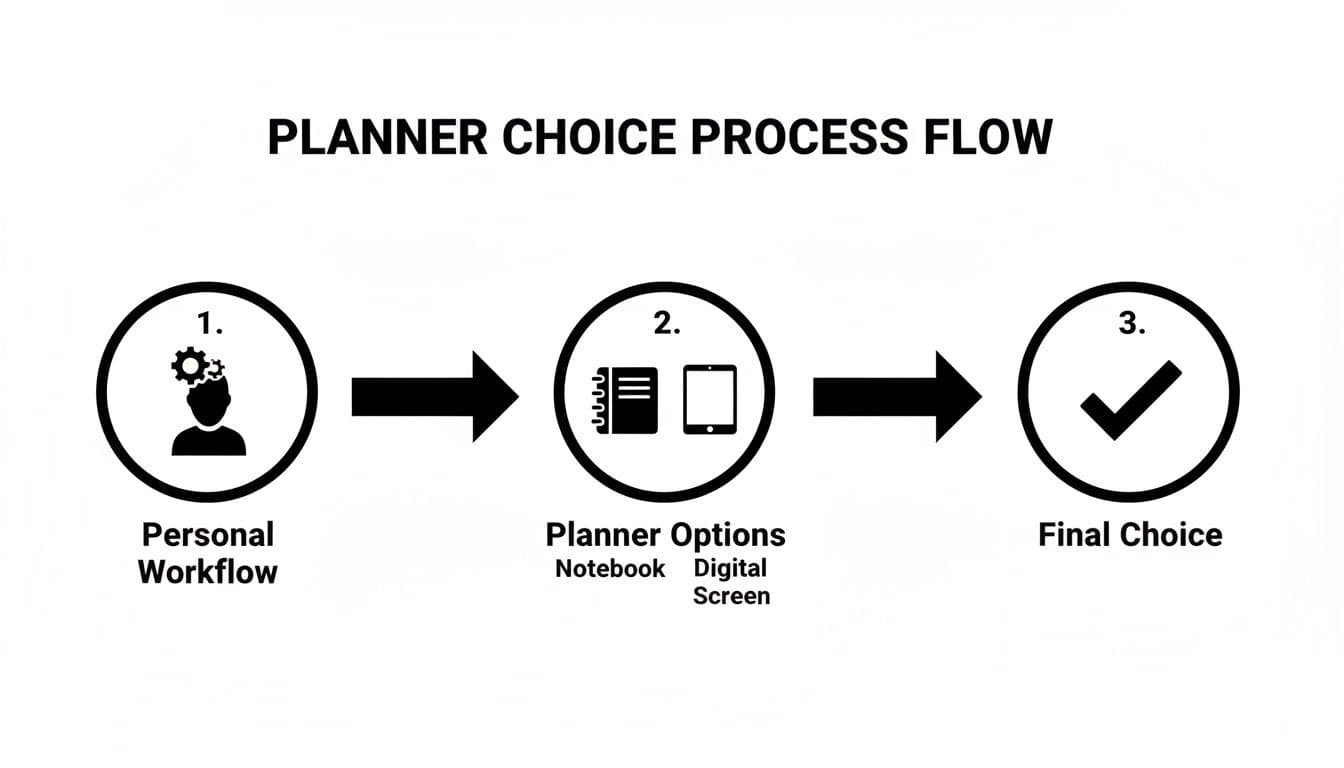
The flowchart above really drives home a key point: the best tool—whether it's a simple notebook or a digital setup like Notion—always comes from understanding your own needs first.
Creating Your Essential Planner Views
Staring at a raw database is no one's idea of a good time. The real power of Notion comes alive when you create different "views" of that master list. Think of them as custom lenses that show you only the information you need, right when you need it.
Let's build the three views I use every single day.
1. The Master List (Table View)
This is your central inbox, your "brain dump." It’s just a simple table view of the entire database, with no filters applied. I use this to quickly add new tasks as they pop into my head and to get a bird's-eye view of everything I've committed to. Its job is to be a complete, unfiltered collection point.
2. The Weekly Planner (Board View)
This view is perfect for getting a high-level look at the week ahead.
- Start by creating a new Board view.
- Set the "Group by" option to your "Do Date" property.
- Then, change the "Date by" setting to "Day."
Instantly, you have a Kanban-style board with a column for each day of the week. This makes weekly planning incredibly intuitive; you can just drag and drop tasks from your backlog or move them between days to balance your workload. It’s the best way I’ve found to make sure I’m not overbooking myself on any given day.
3. The Daily Time Box Schedule (Calendar View)
This is your command center for the day. This is where you execute.
- Create a new Calendar view.
- I prefer to set the "Show calendar as" option to "Week," but "Day" works well too.
- Most importantly, make sure the calendar is using your "Do Date" property to plot your tasks.
This view turns your to-do list into a visual, concrete schedule. You can see your time boxes laid out just like a Google Calendar, which makes it easy to spot gaps, prevent double-booking, and stay focused on what's right in front of you. It’s where the time boxing method really clicks. For more ideas on how to structure this, check out our guide to building a great Notion day planner.
You're not making separate lists. You're creating multiple, focused windows that all look at the same central database. Update a task in one view, and it's instantly updated everywhere. That's the whole point.
Adding Smart Features for Efficiency
Once the core structure is solid, a few small enhancements can make your planner much more powerful and save you a surprising amount of mental energy.
First, get comfortable with database templates for any recurring tasks. For instance, if you have a "Prepare Weekly Report" task every Friday, create a template for it. You can pre-fill the priority, time estimate, and even add a checklist of sub-tasks. Now, creating that task is a single click instead of a repetitive chore.
Next, a simple formula for tracking progress can be incredibly motivating. Create a new formula property and name it something like "Time Left." A basic formula like if(prop("Status") == "Done", 0, prop("Time Estimate")) does the trick. It will show the estimated time for any task that isn't finished and a 0 for anything you've completed. You can then sum this column to get a real-time total of your remaining workload for the day. That kind of instant feedback is what helps you adjust your plan on the fly when things inevitably go sideways.
Mastering Your Daily and Weekly Time Boxing Routine
<iframe width="100%" style="aspect-ratio: 16 / 9;" src="https://www.youtube.com/embed/NPe2DltFTmU" frameborder="0" allow="autoplay; encrypted-media" allowfullscreen></iframe>So you’ve built the perfect time boxing planner. That’s a fantastic start, but a planner is just a tool—it only works if you actually use it. The real magic happens when you build a consistent routine around it. This is how you bridge the gap between planning your work and working your plan.
The goal isn't to add another complicated chore to your to-do list. It’s about creating simple, repeatable habits for weekly and daily planning that feel second nature. Honestly, it doesn't take much. A dedicated weekly review and a quick daily check-in are all you need to keep the momentum going and stay focused on what really matters.
The Sunday Scaries Antidote: A 30-Minute Weekly Review
I like to think of the weekly review as my secret weapon against the "Sunday Scaries." It’s a chance to look ahead and sketch out a rough game plan for the week before the chaos of Monday morning hits. I usually set aside about 30 minutes on a Sunday evening for this. It's not about scheduling every single minute; it's about being intentional and allocating your most precious resource—time—to your biggest priorities.
Here’s what I focus on during my weekly review:
- Check In With Your Goals: First, I glance at my bigger goals for the quarter or month. From there, I ask myself: what are the 2-3 most important things I need to accomplish this week to move the needle?
- Block Out Your "Big Rocks": These are your most significant, high-effort tasks. I find a home for these on my calendar first, treating them like non-negotiable appointments with myself.
- Schedule Deep Work: I then carve out specific, uninterrupted blocks for focused work. For me, that’s usually a 90-minute session first thing in the morning before my inbox has a chance to dictate my day.
This proactive approach completely changes the feel of the week. Instead of just reacting to whatever lands on your plate, you walk into Monday with a clear, intentional roadmap. For a deeper dive into structuring your week, our guide on creating a Notion weekly planner has some great frameworks to get you started.
The 15-Minute Daily Planning Habit
If the weekly review sets the general direction, the daily planning session is where you fine-tune the specifics. This is a short, sharp habit that should happen at the same time every day. Whether you do it first thing in the morning with a cup of coffee or the evening before to clear your head, this is your daily huddle with yourself.
In this quick 15-minute window, you’ll look at the tasks you penciled in for the day and make any needed adjustments based on new information. This is also the perfect time to slot in the smaller stuff—like responding to emails or making a few calls—into the gaps.
The daily plan is your execution map. It transforms your high-level weekly goals into a concrete, minute-by-minute guide that eliminates decision fatigue and keeps you on track.
This is where time boxing really shows its strength. The method is gaining incredible traction, with the market projected to grow at a 14.80% CAGR, precisely because it forces you to set and respect firm time limits. When you consider that knowledge workers lose nearly 19 hours a week to chats and emails and businesses lose a staggering $37 billion annually to unproductive meetings, a rigid structure becomes your best defense. You can find more insights on this trend over at HTF Market Intelligence.
A Real-World Example in Your Planner
Let's walk through how this might look in your planner. Imagine you're a freelance designer, and your main priority for the week is to complete the initial wireframes for a new client project.
During your weekly review on Sunday, you would:
- Block out a 3-hour "Deep Work" session on Tuesday morning, labeling it "Client X Wireframing."
- Add a 1-hour block on Thursday afternoon for "Wireframe Revisions."
- Schedule a 30-minute block on Friday to "Prepare and Send Wireframes for Review."
Then, during your daily huddle on Tuesday morning, you'd get more granular:
- You'd confirm that your 9:00 AM - 12:00 PM wireframing block is still good to go.
- Next, you might create a 30-minute time box from 1:00 PM - 1:30 PM for "Batch Email Responses."
- You'd add another 45-minute box from 4:00 PM - 4:45 PM for "Invoicing and Admin Tasks."
- Crucially, you would also schedule your breaks—like a 15-minute walk at 10:30 AM and a full hour for lunch.
Below is a sample schedule showing how these time boxes would lay out for the day, giving every minute a purpose.
Example Daily Time Boxed Schedule
| Time Slot | Task | Notes |
|---|---|---|
| 9:00 AM - 12:00 PM | Deep Work: Client X Wireframing | Phone on Do Not Disturb. Focus solely on initial concepts. |
| 12:00 PM - 1:00 PM | Lunch Break | Step away from the desk completely. |
| 1:00 PM - 1:30 PM | Batch Email Responses | Process inbox to zero. No new tabs. |
| 1:30 PM - 2:30 PM | Follow-up Calls | Return client calls and check in with partners. |
| 2:30 PM - 2:45 PM | Short Break / Walk | Quick stretch and walk outside. |
| 2:45 PM - 4:00 PM | Project Planning | Outline tasks for tomorrow's work. |
| 4:00 PM - 4:45 PM | Invoicing & Admin | Send out invoices and update bookkeeping. |
| 4:45 PM - 5:00 PM | Daily Shutdown | Review accomplishments, clear desk, plan for tomorrow. |
By combining the big-picture weekly overview with a detailed daily plan, your time boxing planner transforms from a static document into a dynamic and reliable partner in your productivity. It's no longer just a list of what to do, but a clear, actionable guide for when and how to do it.
Pro-Level Time Boxing Techniques to Maximize Focus
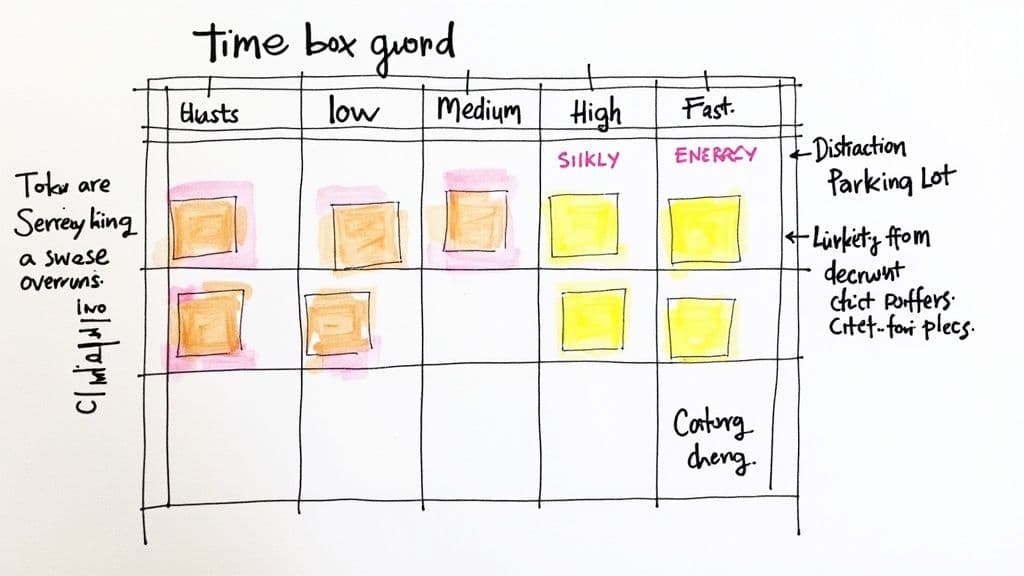
So, you've got your daily and weekly planning down. That's a huge step. But to really get the most out of your day, you need to move beyond a simple schedule and start using some more dynamic strategies. These are the techniques that turn your time boxing planner from a static to-do list into a flexible system that can handle the chaos of a real workday.
One of the most powerful, yet simple, changes you can make is to build buffer boxes into your schedule. Let's be honest: things rarely go exactly as planned. Tasks bleed over their allotted time. A meeting runs late. Instead of letting one hiccup throw your entire day off course, proactively schedule a few 15 or 30-minute empty blocks.
Think of these buffers as pressure-release valves. When a task proves more complicated than you thought, you can just let it expand into the next buffer. No frantic reshuffling, no stress.
Match Your Tasks to Your Energy
Here's a rookie mistake I see all the time: treating every hour of the day as if it's created equal. It's not. Your focus and mental energy have a natural rhythm, and working against it is like swimming upstream.
A much smarter approach is to align your tasks with your energy levels. Try color-coding or tagging tasks in your planner to reflect the kind of brainpower they demand.
For instance, you could break things down like this:
- Deep Work: This is the heavy lifting—writing, coding, or big-picture strategic thinking. It requires your full, undivided attention.
- Shallow Work: These are the low-energy administrative tasks, like clearing your inbox, submitting expense reports, or scheduling calls.
- Creative Work: This needs a more relaxed, open mindset. Think brainstorming sessions, sketching out ideas, or design work.
Once you have this system, you can plug your deep work blocks into your peak focus hours (usually the morning for most people) and save the shallow stuff for that inevitable afternoon slump. It’s a game-changer for productivity because you stop fighting your own brain.
Create a Distraction Parking Lot
Interruptions are the enemy of focus, but they don't always come from a coworker or a notification. Sometimes, the most persistent interruptions come from inside your own head—that brilliant idea you just had, a task you suddenly remember, or a random worry.
Instead of letting these thoughts derail your focus, give them a place to go. Create a "distraction parking lot" in your planner. This can be as simple as a dedicated text box in your Notion template.
When a distracting thought pops up during a time box, just quickly write it down in the parking lot and get right back to your task. This little trick signals to your brain that the idea is safe and won't be forgotten, giving you permission to stay in the zone.
A well-structured plan is not about rigid adherence; it's about creating a resilient framework that can gracefully absorb the unexpected. Your time boxing planner should serve you, not the other way around.
Adapt and Overcome Interruptions
External interruptions are just a fact of life, especially if you work on a team. The goal isn't to build an impenetrable fortress but to have a plan for managing them. When someone pops by your desk or an "urgent" request lands in your inbox, don't just abandon ship.
Pause for a second and assess it. Is this really an emergency? If it is, make a conscious choice to pause your current time box and slot in a new one for the urgent task. If it's not, politely let the person know you're deep in focused work and schedule a specific time to help them later. This keeps you in control of your schedule.
If you want to get really granular with this, you can explore different methods for Notion time tracking to see just how much these little interruptions are costing you.
By weaving in these advanced techniques—buffer boxes, energy-based scheduling, a distraction parking lot, and smarter interruption management—your time boxing planner becomes something more. It evolves from a rigid schedule into an intelligent, responsive system that helps you navigate your day with real intention.
Got Questions About Time Boxing Planners?
Even the best systems spark a few questions once you start living with them day-to-day. A time boxing planner is no different. Let's dig into some of the most common things people ask when they're getting started, so you can handle the bumps in the road like a pro.
Remember, the goal isn't a perfect day—it's an intentional one. Knowing how to adapt when things get messy is what keeps you in the driver's seat.
What if a Task Takes Way Longer Than I Planned?
First off, this isn't a failure—it's just feedback. It happens to all of us, and your planner is built to help you navigate it without derailing your entire day. When a task spills over its time box, you're forced to make a conscious choice instead of just letting the chaos take over.
Here are a few ways you can handle it:
- Dip into a buffer block: This is exactly what those overflow blocks are for. Let the task expand into that pre-planned flexible time.
- Schedule a "Part 2": Carve out a new time box later in the day or for tomorrow to finish up.
- Question its priority: Is finishing this right now truly the most important thing? Sometimes, the answer is no.
The real win here is that you're actively deciding what to do next. You'll also notice that after a while, you get much better at estimating how long things actually take. You're not just scheduling; you're learning how you work.
Isn't This Just Using a Calendar?
I get this question a lot. While they both involve blocks of time, their fundamental purpose is completely different. A calendar is typically reactive; it's a log of appointments and meetings that other people put on your schedule. A time boxing planner, on the other hand, is proactive.
You're not just noting appointments—you are making appointments with yourself to get your most important work done. It’s a powerful mental shift from a wish list of to-dos to a concrete commitment.
This simple change is what makes all the difference. You start treating your own priorities with the same respect you'd give a meeting with your biggest client, which dramatically boosts your chances of actually following through.
Can I Use This for My Personal Life, Too?
Absolutely! Honestly, this is one of the best ways to use it. Time boxing is incredibly effective for making sure the things that matter to you outside of work actually happen.
Think about it. By creating dedicated time boxes for hitting the gym, reading a book, practicing guitar, or just having uninterrupted family time, you're giving those activities real weight. You're treating them with the same importance as a project deadline. It’s a simple, practical way to build a better work-life balance and finally see real progress on your personal goals.
Ready to stop building from scratch and start planning? The templates from Flowtion give you a complete, professionally designed productivity system in Notion with just one click. Get your battle-tested time boxing planner and take back control of your day.