Daily Planner Templates for Notion
Discover templates for daily planner that fit your workflow. Learn how to choose, customize, and build productive habits with a flexible digital planner.
If your paper planner feels more like a static to-do list than a dynamic tool, I get it. You're not alone. The best templates for a daily planner move beyond simple task management. They create a responsive system that brings clarity and focus, turning your planner into a true command center for your life instead of just another chore.
Why Your Old Planner Isn't Working Anymore
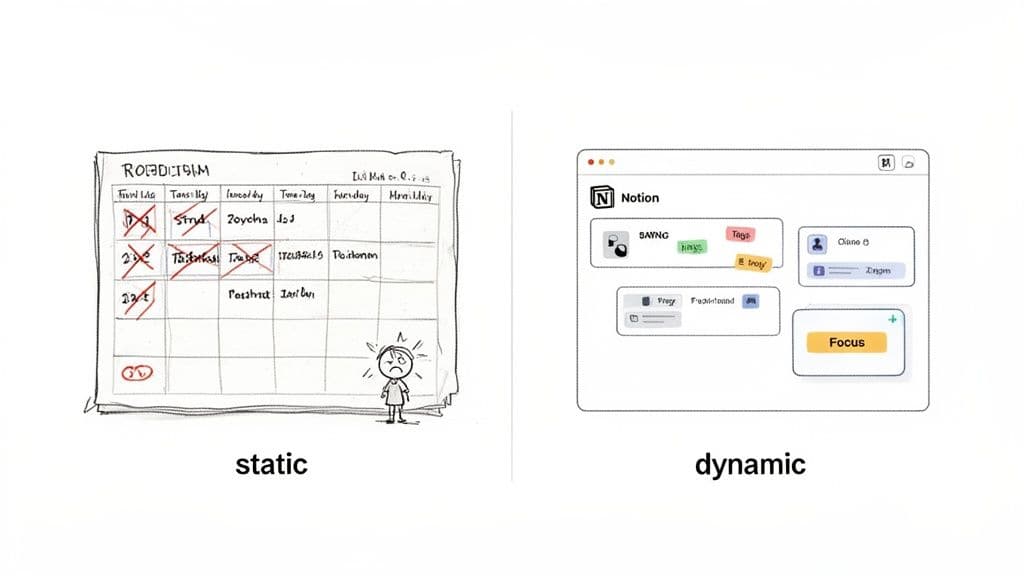
Does your daily planning routine feel rigid and uninspired? Many of us love the tactile satisfaction of writing in a paper planner, but that initial joy often gives way to frustration. The biggest problem is their inflexibility—once you've written something down, it’s literally set in stone (or, well, ink).
A surprise meeting or a last-minute shift in priorities can instantly turn your beautifully structured page into a chaotic mess of crossed-out tasks and scribbled notes. It’s disheartening.
This is where digital planner templates, especially within a flexible tool like Notion, really come into their own. They aren’t just a digital copy of your paper notebook. They offer a fundamentally different way to organize your day, week, and life. A digital system is alive; you can drag, drop, reschedule, and reprioritize tasks on the fly without any penalty.
The Shift from Static Lists to Dynamic Systems
The real limitations of analog planners come down to their static nature. They're great for capturing a plan at a single moment in time but terrible at adapting to the fluid reality of an actual day. That disconnect is what sends so many of us searching for a better way.
Some of the most common frustrations I hear about traditional planners include:
- Lack of Adaptability: You can't just move an unfinished task to tomorrow without rewriting the whole thing.
- Limited Space: Important notes or brilliant ideas end up crammed into margins, only to be forgotten.
- Zero Integration: Your planner is an island, completely cut off from your digital calendar, project tools, or notes.
- Repetitive Entry: Manually writing down the same recurring tasks every single day or week becomes a mind-numbing chore.
Thinking about making the switch? Here’s a quick breakdown of how a digital setup in Notion stacks up against a classic paper planner.
Digital vs Analog Daily Planners
| Feature | Digital Planner (Notion) | Paper Planner |
|---|---|---|
| Flexibility | Drag-and-drop tasks, reschedule with ease. | Fixed layout; changes require crossing out. |
| Integration | Connects to calendars, notes, and other apps. | Standalone; no digital connections. |
| Automation | Set up recurring tasks and reminders automatically. | All entries are 100% manual. |
| Accessibility | Available on any device, anywhere. | Must carry the physical book. |
| Searchability | Instantly find any task, note, or entry. | Requires flipping through pages manually. |
| Customization | Endlessly adaptable to your specific needs. | Limited to the pre-printed design. |
Ultimately, a digital system gives you the power to build a planner that works for you, not the other way around.
This growing need for integrated, flexible solutions is playing out across the entire productivity market. The global daily planner software market was projected to grow from around USD 1.8 billion in 2025 to over USD 4.6 billion by 2033. This boom is directly fueled by the rise of remote work and our reliance on cloud-connected apps that sync our lives across every device. You can learn more about the daily planner software market trends to see what’s driving this massive shift.
A great daily planner template doesn’t just help you manage your tasks—it helps you manage your focus. It’s the difference between a simple to-do list and a personalized command center for your professional and personal life.
Finding a Planner Template That Fits Your Brain
The best daily planner is never a one-size-fits-all solution. The real goal is to find a system that works with your natural tendencies, not one that forces you into a box. A simple to-do list might be fine for some, but a planner that actually sticks should feel like a natural extension of how you already think and operate.
This often means looking beyond basic checklists and exploring different planning philosophies. For instance, some people are wired for time-blocking, where every chunk of the day is visually assigned to a specific task. Others get more clarity from a priority matrix (like the classic Eisenhower Matrix) that helps them sort tasks by urgency and importance, so they know what really needs their attention.
The trick is to find a template built for your daily reality.
- For the Freelancer: Your day is a mix of client work, project deadlines, and tracking billable hours. A great template for you would likely connect a simple client list, a project progress tracker, and an easy way to log your time.
- For the Student: Life revolves around class schedules, assignment due dates, and study blocks. You'd want a template with a strong calendar at its core, maybe with linked databases for your notes and readings.
- For the Creator: You're constantly juggling new ideas, production schedules, and community interaction. A dashboard that brings together an idea bank, a content calendar, and a production checklist would be a game-changer.
Identify Your Personal Workflow
Before you even start looking at templates, take a minute to think about your own process. How do you try to manage your day right now? What are the biggest points of friction? Finding a system that clicks with your brain is crucial, and for those managing ADHD, exploring the best apps for ADHD adults can offer some fantastic ideas for features that complement a Notion setup.
Your planner shouldn't force you into a new way of thinking. It should provide structure for the way you already work, making your process smoother and more efficient.
There's a reason physical planners are still so popular—it's all about that personal touch. In fact, the global market for diaries and planners was valued at around USD 3.27 billion in 2024. People crave formats they can truly make their own, and a good digital template has to offer that same level of customization to be useful long-term.
Ultimately, let your main goals guide your choice. If you’re constantly struggling to keep track of big, multi-step projects, you need a template built around project management and goal setting. A great starting point would be our guide on how to choose the right goal planner template.
By zeroing in on your biggest pain point, you can cut through the clutter and find a template that genuinely supports you.
Making Your Notion Planner Your Own
Alright, you've duplicated a template. Now for the fun part. Think of that template as a new apartment—the walls are up and the plumbing works, but it’s not home until you've put your personal stamp on it. This is where you'll take a generic planner and shape it into a command center that actually mirrors the way you think and work.
The whole point is to create a system that feels effortless. You want every click to be second nature and every field you add to serve a real purpose, helping you get things done with less drag. Let's start by tweaking the core building blocks to fit you.
Before we dive into the nitty-gritty of customization, it's worth remembering how you got here. This quick visual breaks down the process of even choosing a template in the first place.
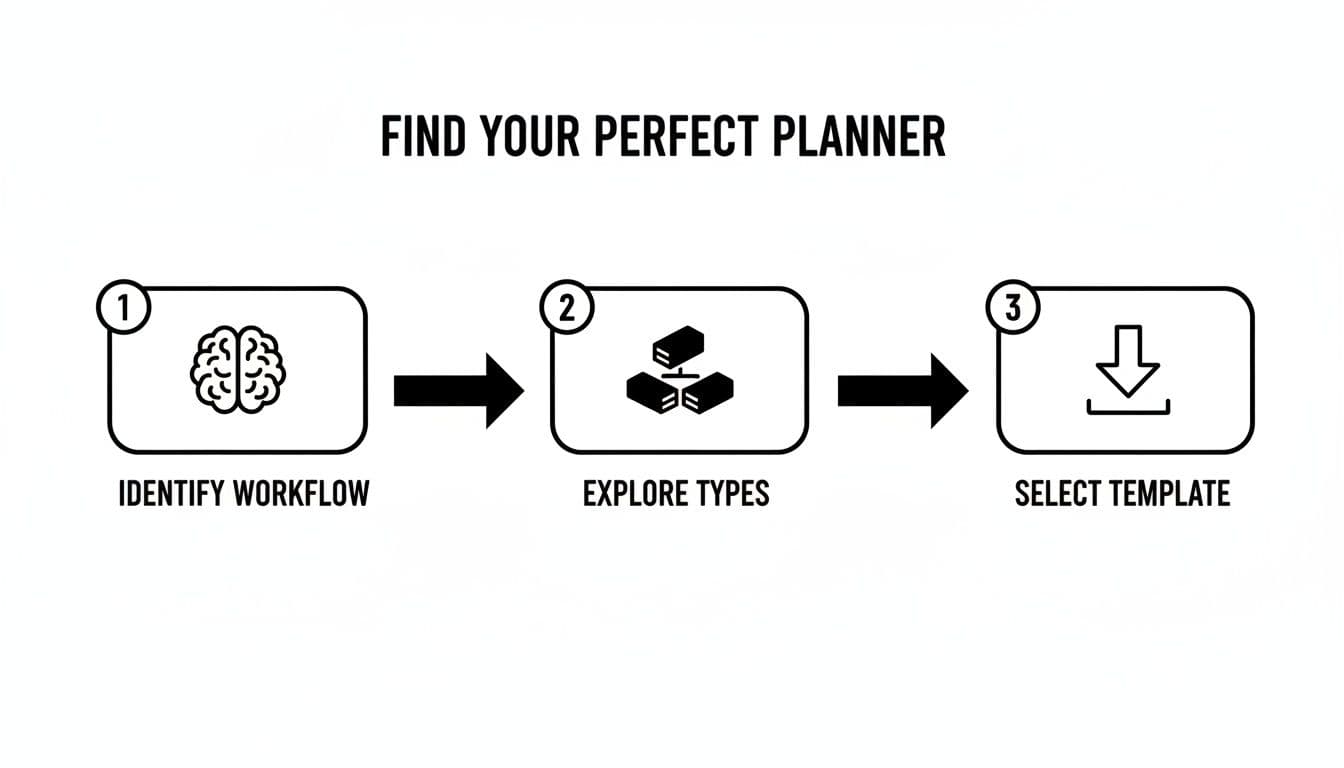
As the graphic shows, it all boils down to three steps: figuring out your workflow, seeing what kinds of planners are out there, and then picking one. It's a great reminder that knowing what you need is the most important step—without that, customization is just guesswork.
Add Your Own Flavor with Custom Properties
Most planner templates come with the basics, like a ‘Due Date’ or ‘Status’ field. These are fine, but where Notion really shines is in letting you create custom properties that capture the details of your actual life. This is how you move beyond a simple checklist and start adding real context.
Instead of just listing what you have to do, you can start organizing tasks by how you'll actually get them done.
- Energy Level: Ever try to write a detailed report when your brain feels like mush? Add a ‘Select’ property with options like ‘High Focus,’ ‘Cruising,’ and ‘Low Brainpower.’ This lets you match tasks to your mental state. Save the deep work for your 'High Focus' moments and tackle emails when you're 'Cruising.'
- Context: This is a classic productivity trick. Add a ‘Select’ or ‘Multi-Select’ property with tags like ‘@Desk,’ ‘@Errands,’ or ‘@Phone.’ When you find yourself with 15 minutes before a meeting, you can instantly filter for all the quick calls you need to make.
- Time Estimate: It's so easy to be overly ambitious. Add a ‘Number’ property to jot down how many minutes you think a task will take. This is a game-changer for realistically planning your day and avoiding that end-of-day feeling of being behind.
These little tweaks give you a much smarter, more strategic overview of your day. You're not just staring at a list of demands; you're looking at a realistic plan built around your personal resources.
Connecting Your Daily Grind to Your Big Goals
A daily planner can sometimes feel like an isolated silo, completely detached from your bigger ambitions. To fix this, we need to bring in one of Notion’s best features: database relations. This allows you to link an entry in your daily planner directly to a master project database.
By linking daily tasks to your big-picture projects, you make sure that every single thing you do is pushing you toward a meaningful goal. It’s the perfect antidote to "busy work."
For instance, a freelance designer could link their daily task ‘Create 3 logo mockups’ directly to the ‘Client X Rebrand’ project in their master project list. This instantly creates a clear line from today's work to the long-term objective. Setting this up is probably the single biggest step you can take to turn your planner from a task manager into a genuine tool for progress.
Integrating Your Planner with Your Digital Life
<iframe width="100%" style="aspect-ratio: 16 / 9;" src="https://www.youtube.com/embed/QJcq04I_Qg0" frameborder="0" allow="autoplay; encrypted-media" allowfullscreen></iframe>Your daily planner truly comes alive when it stops being an island. To really get the most out of your setup, it needs to plug into the other digital tools you’re already using. This is what turns your planner from a simple to-do list into the command center for your entire productivity system.
The whole point is to cut down on friction. You want to eliminate the mind-numbing task of entering the same information in multiple places. If a meeting pops up on your Google Calendar, it should just be in your daily plan, no manual copy-paste required. This is where a digital system starts to feel like magic.
Sync Your Calendar and Never Miss a Beat
One of the most practical integrations you can set up is syncing your Notion planner with your main calendar, whether that’s Google Calendar or something similar. This gives you a single, reliable place to see all your appointments, deadlines, and focused work blocks. You can pull this off with Notion’s built-in features or get a little fancier with automation tools like Zapier or Make.
Once it’s set up, a client booking a call automatically populates your daily schedule in Notion. It’s a simple connection, but it saves a surprising amount of time and, more importantly, keeps things from falling through the cracks. For a deeper look at this, our guide on building a Notion calendar template walks you through every step.
And if you're working with a team, check out how a Notion Slack integration can keep everyone on the same page without constantly switching apps.
Connect Daily Tasks to Your Grand Vision
It’s incredibly easy to get bogged down in the small, urgent tasks of the day and completely lose sight of the bigger picture. This is where Notion’s database relations are an absolute game-changer. By linking your daily tasks to a master list of your big-picture goals, you draw a straight line from what you’re doing right now to where you want to be in the future.
Let’s make this real:
- For a freelancer: That daily task, "Draft project proposal," gets linked directly to your goal of "Land 2 New Clients in Q3."
- For a student: The task "Finish Chapter 5 summary" connects right to the objective "Ace Midterm Exam."
- For a creator: "Edit this week's video" isn't just a task; it's a step toward the "Grow YouTube Subscribers by 10%" quarterly goal.
This simple act of linking adds a layer of motivation and context. You’re not just checking off a random box—you’re seeing tangible progress on something that actually matters to you.
The most effective daily planner doesn't just organize your day—it aligns it. By connecting small tasks to big goals, you ensure that every bit of effort is pushing you in the right direction.
Build a Daily Reflection Practice
A planner shouldn't just be about looking ahead; it also needs to help you learn from what’s already happened. Adding a simple 'Daily Reflection' section can transform your planner into a powerful tool for growth. This doesn't have to be some elaborate journaling exercise.
Just create a small toggle or a simple text block at the bottom of your daily template with a few consistent questions.
Evening Reflection Prompts:
- What was my biggest win today?
- What did I learn or where did I struggle?
- What is one thing I can do tomorrow to make it better?
Answering these three questions takes less than five minutes, but the insights you’ll get are huge. It helps you celebrate small wins, spot unhelpful patterns, and tweak your approach for the next day, making sure your planning system grows and adapts right along with you.
Making Daily Planning a Habit That Actually Sticks
Let’s be honest: the most beautifully designed templates for a daily planner mean nothing if they just collect digital dust. We’ve walked through finding and setting up your ideal system, but the real test is turning it into a reflex—an automatic part of your day. This is less about the tech and more about human nature.
Building a habit that lasts isn’t about willpower or forcing a rigid new routine. It’s about making it so easy to do that not doing it feels weird. The secret is to anchor your planning to something you already do without thinking.
Instead of a vague goal like "I'll plan more," try "habit stacking." You could tell yourself, "Right after my morning coffee starts brewing, I'll open my Notion planner for five minutes." Tying the new habit to an existing one makes it ridiculously easy to remember and execute.
Crafting Your Daily Bookends
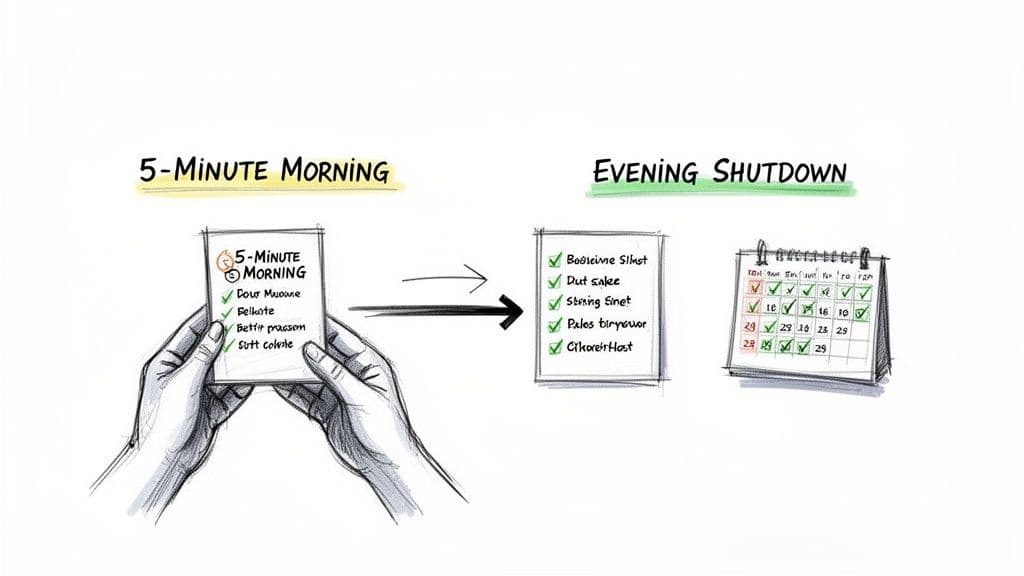
One of the best ways to build consistency is to create simple "bookend" routines—a quick ritual to start your day and another to end it. These provide structure and turn your planner into a reliable partner.
The 5-Minute Morning Plan
Before the day’s chaos hits and your inbox starts screaming for attention, take just five minutes to get centered. This isn't about mapping out every second; it's about finding clarity.
- Scan Your Priorities: What are the 1-3 tasks that would make today a win if you got them done? Just identify them.
- Check Your Schedule: Take a quick look at your calendar to see what meetings or appointments you have. Know the landscape of your day.
- Set a Simple Intention: Write down a single sentence about what you want to accomplish or the energy you want to bring.
The Evening Shutdown
Ending your day with intention is just as crucial as starting it that way. This short process helps you mentally sign off from work, clearing your head for the evening.
- Acknowledge Your Progress: Briefly review what you checked off. If something important is left, just drag it to tomorrow's list. No big deal.
- Do a Brain Dump: Jot down any random thoughts, nagging worries, or new ideas into a dedicated notes section. Get them out of your head.
- Tee Up Tomorrow: Decide on the very first small thing you’ll tackle tomorrow morning. This completely erases that "what should I do first?" feeling when you sit down to work.
Don’t aim for perfection; aim for consistency. A messy, five-minute planning session is infinitely better than skipping it because you don't have a full hour to map everything out perfectly.
Overcoming Common Roadblocks
Life gets in the way. You’ll have days where you’re swamped, and you’ll forget to open your planner. It happens. The trick is not letting one missed day turn into two, then a week. Just show up the next morning and get back to your simple 5-minute routine. No guilt, no drama.
If you want to add another layer of motivation, a dedicated tracker can be a game-changer. Seeing a streak build can be incredibly powerful. Our guide on finding the right Notion habit tracker template can show you how to easily integrate this right into your daily dashboard. This is all about building a flexible, sustainable practice that actually supports you.
Common Questions About Notion Daily Planners
Even with the perfect template, you're bound to have questions as you start out. Let's be honest, diving into a new system like Notion can feel a bit like learning a new language. The good news is that most people hit the same roadblocks.
Let's walk through some of the most common questions I hear, so you can build a system that actually helps instead of adding to the overwhelm.
What’s the Best Template for a Notion Beginner?
If you're just starting with Notion, the single best piece of advice I can give you is this: start simple. I know how tempting it is to grab one of those massive "Second Brain" or "Life OS" templates. They look incredible, with dozens of interconnected databases and slick dashboards, but they're a recipe for burnout.
Jumping into a complex system like that creates a learning curve so steep it can completely kill your motivation.
Instead, look for a template that nails three core things:
- A simple task list: All you really need is a place to jot down what needs doing, a checkbox, and maybe a due date.
- A basic schedule: This could be a simple table or a calendar view where you can block out your day.
- A notes section: Just a freeform space to capture ideas, meeting notes, or daily reflections.
Focus on mastering these fundamentals first. When you build the habit of opening and using your planner every single day, that’s when you can start getting fancy. Once the core habit is there, you can layer in habit trackers, project databases, and other features. A good search term is "Minimalist Notion Planner"—that's usually where the gold is for beginners.
How Do I Stop My Digital Planner from Getting So Cluttered?
A digital planner can get messy just as fast as a paper one. The secret to keeping your Notion workspace clean and functional is a weekly reset. Set aside 10 minutes at the end of every week to do a quick clean-up.
You don't have to delete anything. I just drag my completed tasks for the week into an "Archive" toggle at the bottom of my planner page. This keeps my main view feeling fresh but I can still look back at what I've accomplished.
Even more importantly, you need to become best friends with Notion's filter feature. Your main dashboard should never show you everything at once.
Your daily planner's job isn't to show you everything you've ever done. Its job is to show you exactly what you need to do next. Aggressive filtering is the best way to maintain that focus.
Set up your primary task view with a filter that only shows items where the Status is not 'Done' and the Due Date is 'Today.' This one simple filter is a game-changer. It means every time you open Notion, you see only what's immediately relevant, cutting through the noise instantly.
Can I Actually Use My Notion Planner on My Phone?
Absolutely! This is one of Notion’s biggest advantages. But here's the catch: a dashboard built for a big desktop monitor is going to feel awful on a small phone screen. The solution isn't to ditch mobile, but to build a dedicated, stripped-down "Mobile View."
It sounds complicated, but it's not.
Inside your main planner, just create a new page and call it something like "Mobile Hub." On that page, stick to a single-column layout. Instead of embedding full, complex database views, use Notion's "Synced Block" feature to pull in just the essentials—like that filtered "Today's Tasks" view we just talked about.
I also like to add big, tappable callout blocks that act as buttons for my most common actions, like "Add New Task" or "Quick Note." This approach transforms your phone from a clunky viewer into a genuinely useful tool for capturing ideas and checking your schedule on the go.
Ready to stop building from scratch and start planning today? The Flowtion template library has dozens of professionally designed, battle-tested Notion templates to get you organized in minutes. Find your perfect planner at The Flowtion Shop.