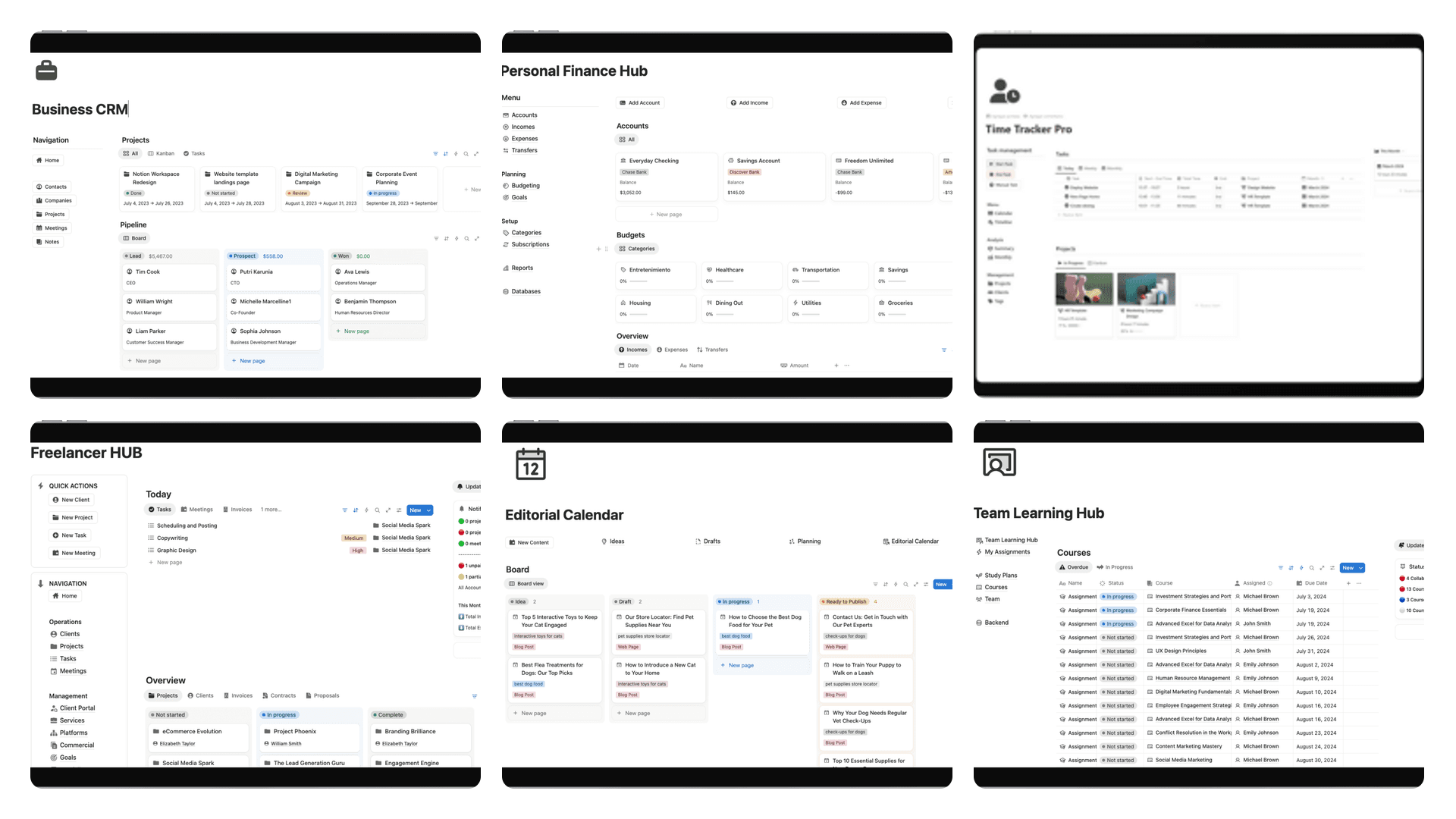
10 Powerful Notion Dashboard Ideas for 2025
Explore 10 powerful Notion dashboard ideas for freelancers, students, and teams. Get actionable tips and layouts to build your perfect workspace today.
Notion's true power isn't just in its flexibility, but in its ability to become a personalized command center for your life or business. A well-designed dashboard transforms a blank canvas into a dynamic system that organizes chaos, tracks progress, and surfaces critical information exactly when you need it. However, staring at that empty page can be intimidating. Where do you even begin? This guide moves past generic advice to provide ten specific, battle-tested Notion dashboard ideas, complete with structural blueprints, key components, and actionable setup tips.
Our goal is to give you a definitive resource that cuts through the noise. Instead of just showing you finished templates, we will dissect what makes each dashboard effective and how you can build or adapt it for your unique needs. We’ll cover everything from a comprehensive personal “Life OS” to a highly focused job search tracker, providing practical roadmaps for each concept.
Whether you're a freelancer managing clients, a student juggling coursework, or a creator building an empire, these concepts provide the framework to build a workspace that works as hard as you do. We will explore each idea in detail, breaking down its core purpose, essential features, and the practical steps to implement it effectively. This article is your starting point for creating a centralized, powerful hub that streamlines your workflows and brings clarity to your most important goals. Let's build your ultimate Notion command center.
1. Personal Life Operating System (Life OS)
A Personal Life Operating System, or Life OS, is the ultimate central hub for managing every facet of your personal life within Notion. It goes beyond simple to-do lists by creating an interconnected system of databases and dashboards for tracking long-term goals, daily habits, finances, health metrics, learning resources, and even relationships. This comprehensive approach transforms Notion from a note-taking app into a dynamic, personalized command center for your entire life.
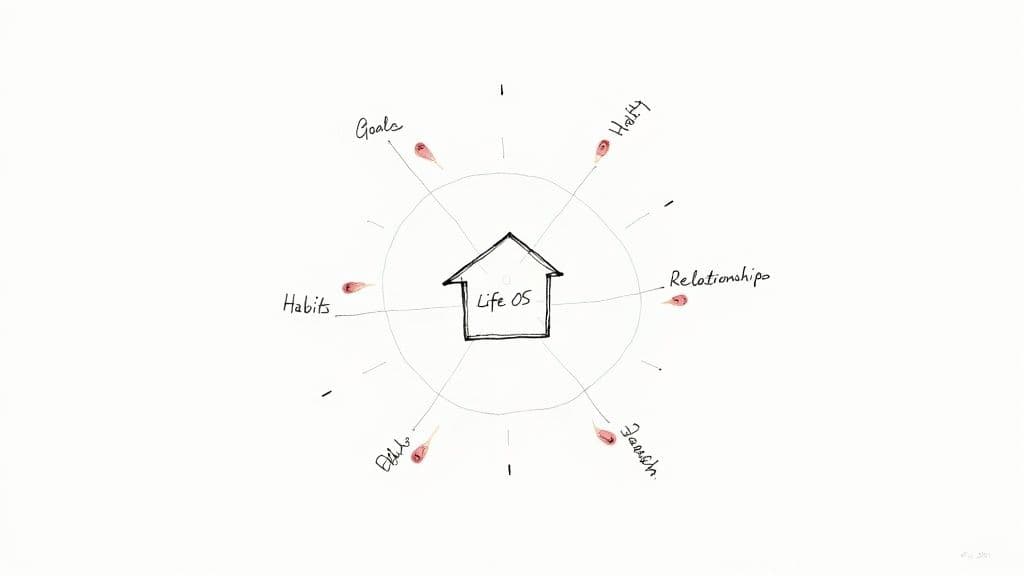
Popularized by productivity experts like Ali Abdaal and August Bradley, this dashboard idea leverages Notion’s relational databases to link everything together. For example, a daily journal entry can be linked to your habit tracker, a weekly project, and a long-term goal, creating a powerful feedback loop for personal growth and reflection.
Why Use a Life OS?
This system is ideal for individuals who want a single source of truth to manage personal development and stay organized across various life domains. It provides clarity by visualizing how daily actions contribute to broader life ambitions, making it one of the most powerful notion dashboard ideas for holistic self-management.
Key Components to Include:
- Master Task Database: A central place for all tasks, categorized by project, priority, and due date.
- Goals & OKRs Tracker: A database for setting and monitoring quarterly or annual objectives.
- Habit Tracker: A simple database with checkboxes or a calendar view to track daily routines.
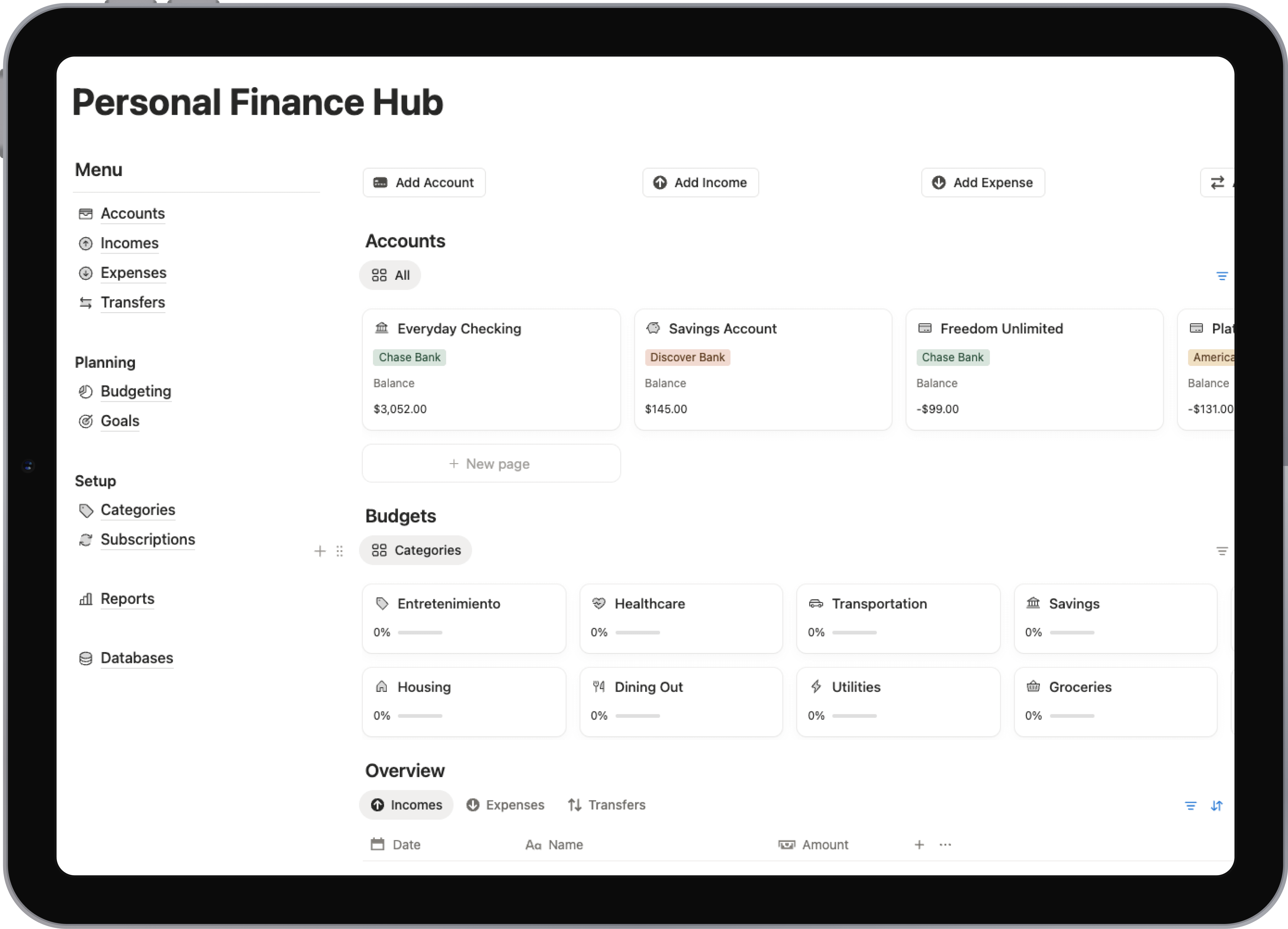
- Finance Hub: Pages for budgeting, expense tracking, and savings goals.
- Knowledge Vault: A space to capture notes, articles, and ideas, often structured like a digital second brain.
How to Get Started:
- Start Small: Begin with just 3-4 core areas like tasks, goals, and notes. Avoid trying to build everything at once, which can lead to overwhelm.
- Use Linked Views: Keep your main dashboard clean by using linked views of your master databases. Show only today's tasks or this week's habits.
- Schedule a Weekly Review: Set aside a specific time each week (e.g., Sunday evening) to review progress, plan the week ahead, and maintain your system.
2. Content Creator Hub
A Content Creator Hub is a specialized dashboard designed to streamline the entire content production lifecycle, from initial idea to final publication and analysis. It serves as a command center for bloggers, YouTubers, podcasters, and social media managers, organizing every step of their workflow. This system consolidates content calendars, idea pipelines, production tasks, scripts, and performance metrics into a single, interconnected workspace, eliminating the need to jump between multiple apps.
This dashboard concept has been refined by creators like Thomas Frank, who use Notion’s database capabilities to build sophisticated content machines. The core principle is a master content database where each piece of content is an entry. This entry moves through various stages (e.g., Idea, Scripting, Filming, Published) on a Kanban board, with relational properties linking it to research notes, promotional assets, and performance data.
Why Use a Content Creator Hub?
This setup is perfect for creators and marketing teams who need to manage a consistent publishing schedule across multiple platforms. It brings structure to the creative process, prevents ideas from getting lost, and provides a clear overview of the entire content pipeline. This is one of the most effective notion dashboard ideas for transforming a chaotic workflow into a well-oiled system.
Key Components to Include:
- Content Pipeline: A master database (often viewed as a Kanban board) with stages like "Idea," "Drafting," "In Review," and "Published."
- Idea Catcher: A simple, quick-capture page or database to jot down ideas on the go.
- Editorial Calendar: A calendar view of your content pipeline, showing all planned and published dates.
- Platform-Specific Templates: Create templates for different content types (e.g., YouTube video, blog post, Instagram reel) with pre-built checklists and outlines.
- Analytics Tracker: A database to manually log key performance metrics like views, engagement, and conversions for each piece of content.
How to Get Started:
- Build a Master Content Database: Create a single database for all content. Add properties for Status, Publish Date, Content Type, and Platform.
- Create Views for Different Workflows: Use the same master database to create multiple views: a Kanban board for your pipeline, a calendar for your schedule, and a gallery for a visual overview of published content.
- Use Relational Databases: Link your content database to a separate "Projects" or "Topics" database to group related content together and track broader campaign performance.
3. Business Operations Dashboard
A Business Operations Dashboard centralizes all critical functions of a company into a single, cohesive Notion workspace. It acts as the command center for a small business, startup, or freelance operation, integrating project management, client relations, financial tracking, and team collaboration. This dashboard moves beyond simple task lists to create an interconnected system where data flows seamlessly between different business areas.
This powerful setup is often used by small agencies and startups to run their entire company without juggling multiple expensive software subscriptions. For example, a new project entry in a master database can automatically generate associated tasks, create a client folder, and link to relevant financial invoices. This interconnectedness provides a holistic, real-time view of the business's health and operational status.
Why Use a Business Operations Dashboard?
This dashboard is perfect for founders, freelancers, and small teams who need an all-in-one solution to manage their business efficiently. It provides clarity on how different parts of the operation are performing and interacting with each other, making it one of the most practical notion dashboard ideas for scaling a business on a budget.
Key Components to Include:
- Projects & Tasks Database: A master database to track all ongoing projects, deliverables, and individual tasks, often linked to clients.
- Client Relationship Manager (CRM): A dedicated space to manage client information, communication logs, and project history.
- Financial Tracker: Databases for tracking invoices, managing expenses, and monitoring cash flow.
- Team Directory & SOPs: A section for team member profiles, roles, and a library of Standard Operating Procedures (SOPs).
- KPI Dashboard: A high-level view featuring key metrics like revenue, client acquisition, and project completion rates, often using simple tables or galleries.
How to Get Started:
- Define Core Functions: Identify the 3-4 most critical areas of your business, such as Projects, Clients, and Finances. Build these databases first.
- Use Relational Properties: Extensively use Notion’s
Relationproperty to link everything. Connect tasks to projects, projects to clients, and clients to invoices. - Create Database Templates: Streamline repetitive processes by creating templates. For example, a "New Project" template can automatically generate a standard task list, a kick-off meeting page, and a client folder.
4. Student Academic Planner
A Student Academic Planner is a dedicated dashboard designed to centralize and streamline every aspect of a student's academic life. It acts as an integrated command center for managing coursework, tracking assignments, organizing class notes, and planning study schedules. This setup transforms Notion from a simple note-taking tool into a powerful system for managing deadlines, monitoring grades, and staying on top of academic responsibilities.
Popularized by student content creators and academic productivity communities, this dashboard idea leverages Notion’s interconnected databases to create a holistic view of your studies. For example, your class notes can be directly linked to a specific lecture date in your schedule, a related assignment in your task list, and the overarching course in your main academic database, ensuring all information is contextual and easy to find.
Why Use a Student Academic Planner?
This system is perfect for high school, university, or online students who need to juggle multiple courses, assignments, and deadlines simultaneously. It provides a clear, organized overview of academic progress and upcoming tasks, helping to reduce stress and prevent last-minute cramming. This makes it one of the most effective notion dashboard ideas for achieving academic success.
Key Components to Include:
- Course Database: A master list of all your courses for the semester, including details like professor contact info, syllabus, and credit hours.
- Assignment & Exam Tracker: A central database for all deliverables, sortable by due date, course, and status (e.g., Not Started, In Progress, Completed).
- Class Notes Hub: A dedicated space for all your lecture notes, organized by course and date, making them easily searchable for exam prep.
- Grade Calculator: A simple table or database to input assignment scores and weights, allowing you to track your current grade in each class.
- Weekly Study Schedule: A calendar or timeline view to block out study sessions, lectures, and other academic commitments.
How to Get Started:
- Create a Course Template: Design a single template page for one course that includes all the key properties you want to track. Duplicate this template for each new course to ensure consistency.
- Use Relational Properties: Link your Assignments database to your Course database. This allows you to tag each assignment with its corresponding course, making it easy to filter your to-do list.
- Leverage Calendar Views: Create a calendar view of your Assignment Tracker on your main dashboard. This provides a visual overview of all upcoming deadlines, helping you plan your weeks effectively.
5. Investment and Financial Portfolio Tracker
An Investment and Financial Portfolio Tracker is a dedicated Notion dashboard for consolidating and monitoring all your financial assets in one place. It goes beyond a simple budget by tracking investments like stocks, cryptocurrencies, and real estate, allowing you to visualize your overall net worth and monitor portfolio performance over time. This centralized hub transforms Notion into a powerful tool for financial analysis and long-term wealth management.
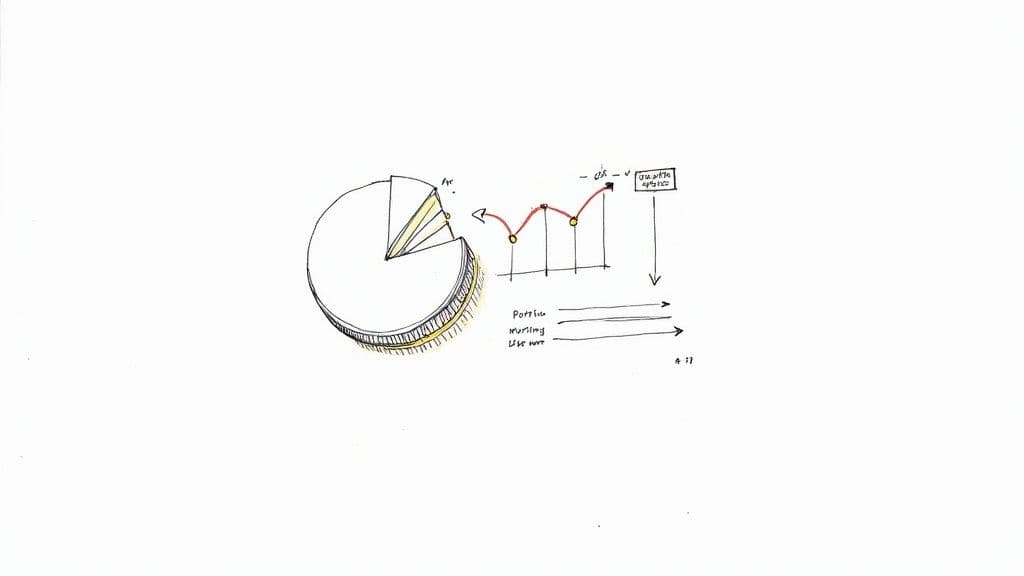
Popularized by personal finance bloggers and investment communities, this dashboard leverages Notion’s databases and formula properties to create dynamic financial reports. You can track individual asset performance, calculate gains or losses, and view portfolio distribution with charts. For those starting fresh, understanding how to build a stock portfolio from scratch is an essential first step before you begin tracking.
Why Use an Investment and Financial Portfolio Tracker?
This system is perfect for anyone actively managing their investments or seeking a clear, consolidated view of their financial health. It provides a real-time snapshot of your net worth and helps you make informed decisions based on performance data, making it one of the most practical notion dashboard ideas for achieving financial goals. It's a key component of any comprehensive Notion finance tracker.
Key Components to Include:
- Master Investments Database: A central table to log every asset, including purchase date, quantity, and cost basis.
- Asset Class Categories: Use tags to categorize investments (e.g., Stocks, Crypto, Real Estate) for filtered views.
- Performance Formulas: Add formula properties to calculate current value, unrealized gains/losses, and percentage change.
- Net Worth Calculator: A separate page or database that sums all your assets and subtracts liabilities for a clear net worth figure.
- Savings Goals Tracker: Link your portfolio performance to specific financial goals, such as a down payment or retirement fund.
How to Get Started:
- Create Your Core Database: Start by building a single database for all your investment holdings. Include properties for Ticker/Name, Asset Class, Quantity, and Purchase Price.
- Implement Formulas: Use Notion's formula property to calculate the total cost (
Quantity*Purchase Price) and potential gains. For live data, you may need a third-party integration like Notion2Sheets. - Build a Dashboard View: Create a main dashboard page and use linked database views to show different information, such as a gallery view of your crypto holdings or a table of your top-performing stocks.
6. Health and Fitness Wellness Dashboard
A Health and Fitness Wellness Dashboard acts as your personal command center for all things related to physical and mental well-being. It moves beyond a simple workout log, creating an integrated system to monitor exercise routines, track nutrition, log sleep patterns, practice mindfulness, and store important medical information. This setup transforms Notion into a dynamic health partner, enabling you to take a proactive and data-driven approach to your wellness journey.
This dashboard concept is championed by fitness influencers and wellness coaches who emphasize a holistic view of health. By leveraging Notion's flexible databases, you can connect your daily workouts to your nutrition log and even your mood journal. For instance, you can easily track how a specific meal impacts your energy levels during a workout or how your sleep quality affects your focus the next day, creating a powerful system for self-improvement.
Why Use a Health and Fitness Dashboard?
This dashboard is perfect for anyone committed to improving their health, from fitness enthusiasts tracking macros and progressive overload to individuals seeking better mental clarity and work-life balance. It provides a comprehensive overview of your wellness metrics, helping you identify trends, stay motivated, and make informed decisions. This makes it one of the most impactful notion dashboard ideas for building and maintaining healthy habits.
Key Components to Include:
- Workout Planner & Log: A database to schedule future workouts and log completed sessions, including exercises, sets, reps, and weights.
- Nutrition Tracker: A meal planner and food diary to monitor calorie intake, macronutrients, and water consumption.
- Habit & Sleep Tracker: A simple calendar or table view to track daily wellness habits like meditation, hydration, and sleep duration.
- Progress Gallery: A gallery view to visually track physical progress with photos and measurements over time.
- Medical Information Hub: A secure page for storing doctor's appointments, medical history, and prescription details.
How to Get Started:
- Define Your Core Metrics: Start by tracking 2-3 key areas you want to improve, such as daily steps, water intake, or workout consistency.
- Create Separate Databases: Build individual databases for workouts, meals, and measurements. Then, use linked views on your main dashboard to see a daily or weekly summary.
- Implement a Weekly Check-in: Dedicate a time each week to review your progress, reflect on what worked, and plan your health goals for the upcoming week. This keeps your system relevant and effective.
7. Project Management and Agile Board
A Project Management and Agile Board is a dynamic system for tracking tasks and workflows, leveraging Notion's powerful board view. This setup transforms a simple task list into an interactive Kanban board, allowing teams and individuals to visualize project progress as tasks move through different stages, such as "Backlog," "In Progress," and "Done." It's an essential framework for implementing agile methodologies directly within your workspace.
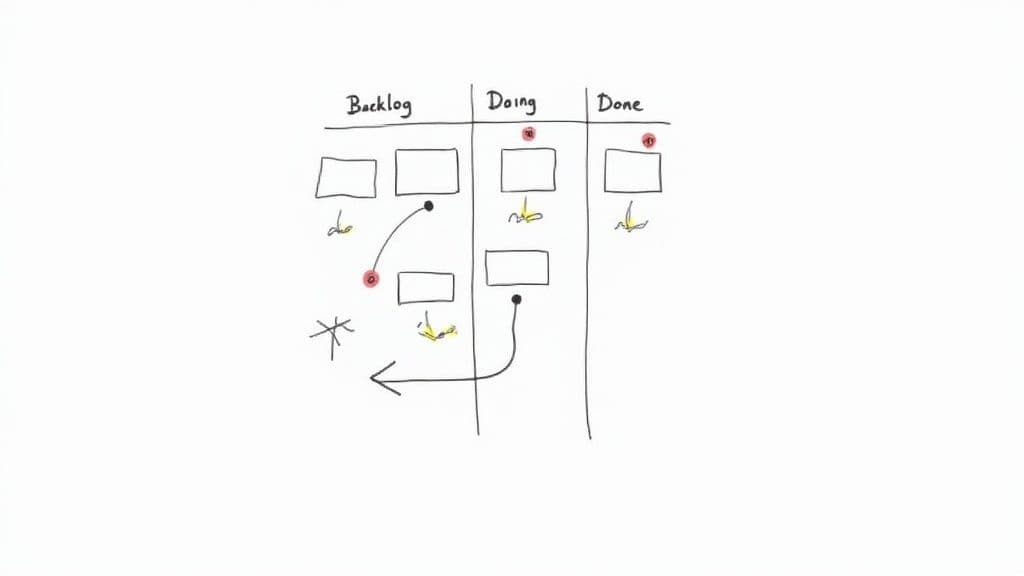
Popularized by engineering teams and product management communities, this dashboard idea is highly adaptable. It's used by software developers for sprint planning, creative agencies for managing client deliverables, and freelancers for tracking multiple projects simultaneously. By assigning properties like priority, assignee, and due dates, the board becomes a central command center for all project-related activities.
Why Use a Project Management and Agile Board?
This system is perfect for anyone who needs a visual and flexible way to manage complex projects with multiple moving parts. It provides instant clarity on task status, team member workload, and potential bottlenecks. For those looking to streamline their workflow, this is one of the most effective notion dashboard ideas for fostering collaboration and boosting productivity, as detailed in this comprehensive guide to using Notion for project management.
Key Components to Include:
- Master Tasks Database: A single database holding all project tasks, each with properties like Status, Assignee, Priority, Sprint, and Due Date.
- Kanban Board View: The primary dashboard view, grouped by the "Status" property to create columns.
- Sprint/Project Database: A separate database to define projects or sprints, which can be linked to the tasks database.
- Timeline View: A Gantt chart-style view to visualize project timelines and task dependencies.
- Team Member Dashboards: Filtered views of the master board showing only tasks assigned to a specific individual.
How to Get Started:
- Define Your Workflow: Clearly define the stages of your process (e.g., To Do, In Progress, In Review, Completed) and create these as options in your "Status" property.
- Create a Master Task Database: Build a single database with all necessary properties. Avoid creating separate databases for each project.
- Use Linked Views for Dashboards: On your main project dashboard, create linked views of the master database. Set up a Board view for your Kanban, a Calendar view for deadlines, and a Table view for detailed reviews.
8. Reading and Learning Library
A Reading and Learning Library is a dedicated knowledge management dashboard for tracking books, articles, courses, and other educational resources. It serves as a personal repository for everything you consume, transforming passive reading into an active process of learning and synthesis. Instead of scattered notes and forgotten highlights, this system centralizes your intellectual journey, making it easy to revisit insights and connect ideas across different sources.
This concept is championed by knowledge management experts and lifelong learners who use Notion to build a powerful "second brain." The dashboard leverages relational databases to link books to authors, articles to topics, and notes to overarching themes. For instance, a quote from a book can be linked to a project you're working on or an article you plan to write, creating a dynamic web of interconnected knowledge.
Why Use a Reading and Learning Library?
This dashboard is perfect for students, researchers, content creators, and anyone committed to continuous learning. It provides a structured environment to not only track what you've read but also to deeply engage with the material and synthesize key takeaways. It is one of the most effective notion dashboard ideas for turning information consumption into genuine understanding and wisdom.
Key Components to Include:
- Master Content Database: A central database to capture every resource (books, articles, podcasts, courses) with properties like status (To Read, Reading, Finished), rating, and topic.
- Author Database: A separate database to track authors, which can be linked to the content database to see all works by a specific person.
- Notes & Highlights Area: A space to store direct quotes, summaries, and personal reflections for each piece of content.
- Topic/Theme Tags: A tagging system to categorize knowledge and easily find all resources related to a specific subject, like "Productivity" or "AI Ethics."
How to Get Started:
- Create Your Core Databases: Start by building a "Library" database for your content and an "Authors" database. Use a Relation property to link them.
- Design a Book Notes Template: Create a template within your Library database for new books. Include sections for a summary, key takeaways, and a linked view of your highlights.
- Use a Web Clipper: Install Notion’s official web clipper or a third-party tool like Save to Notion to quickly save articles and online resources directly to your library.
- Set Reading Goals: Create a gallery or board view on your main dashboard filtered to show your "Currently Reading" list to stay motivated and track progress.
9. Wedding and Event Planning Dashboard
An Event Planning Dashboard in Notion serves as a centralized command center for organizing complex events like weddings, corporate conferences, or large parties. It transforms the chaotic process of event management into a structured, manageable system by bringing together vendor communications, guest lists, budgets, and timelines into a single, interconnected workspace. This setup allows planners to track every detail from initial brainstorming to post-event follow-ups.
This idea has become indispensable for professional event managers and DIY planners alike. By leveraging Notion's powerful databases, you can create a system where your guest list database links directly to your seating chart and meal preferences, and your vendor database connects to your budget tracker and payment schedule. This interconnectedness eliminates the need to juggle multiple spreadsheets, documents, and apps, streamlining the entire planning process.
Why Use an Event Planning Dashboard?
This system is perfect for anyone managing an event with multiple moving parts. It provides a clear, high-level overview while also allowing you to drill down into the smallest details. By centralizing all information, it ensures nothing falls through the cracks, making it one of the most practical notion dashboard ideas for flawless event execution.
Key Components to Include:
- Master Vendor Database: A gallery view to track all vendors, their contact information, contracts, quotes, and payment status.
- Guest List & RSVP Tracker: A comprehensive database for managing guest information, invitations, RSVPs, dietary needs, and seating arrangements.
- Budget & Expense Tracker: A simple database to set a budget, log all expenses as they occur, and monitor spending against categories.
- Event Timeline & Checklist: A timeline view to map out key milestones and a master checklist for all tasks leading up to the event day.
- Mood Board & Inspiration: A gallery or page to collect visual ideas, color palettes, and design inspiration.
How to Get Started:
- Build Your Databases First: Start by creating the core databases: Vendors, Guests, Budget, and Tasks. These will be the foundation of your dashboard.
- Use a Timeline View for Deadlines: Create a timeline view of your task database to visualize your entire planning schedule, from booking a venue to sending thank-you cards.
- Create a Public-Facing Page: Set up a simple, shareable Notion page with key event details (date, time, location, FAQ) that you can send to guests, vendors, or stakeholders.
10. Job Search and Career Development Tracker
A Job Search and Career Development Tracker is a dedicated dashboard designed to manage the complexities of finding a new role and advancing professionally. It serves as a command center for tracking job applications, organizing company research, managing networking contacts, and preparing for interviews. This system transforms the often chaotic and overwhelming job hunt into a structured, strategic project within Notion.
Popularized by career coaches and professional development communities, this dashboard idea leverages Notion’s database capabilities to centralize all career-related information. You can create interconnected databases for companies, contacts, applications, and even skills you want to develop. For instance, an application entry can link to the company profile, the specific contact person you've engaged with, and a checklist of interview preparation tasks.
Why Use a Job Search and Career Development Tracker?
This dashboard is perfect for active job seekers, recent graduates, or any professional planning a career transition. It provides a systematic way to manage multiple opportunities, ensuring no follow-up is missed and all relevant information is readily accessible. This organized approach makes it one of the most effective notion dashboard ideas for taking control of your professional journey.
Key Components to Include:
- Job Application Pipeline: A Kanban board or table view to track applications with custom statuses (e.g., Applied, Interviewing, Offer, Rejected).
- Company Research Database: A gallery view to store information on target companies, including their mission, key contacts, and relevant links.
- Networking CRM: A simple contact list to manage professional connections, track interactions, and schedule follow-ups.
- Resume & Cover Letter Hub: A page to store different versions of your resume and tailor cover letters for specific roles.
- Skill Development Tracker: A database to list skills you need to acquire or improve, linked to learning resources and progress notes.
How to Get Started:
- Build Your Application Pipeline: Start with a single database to track every job you apply for. Use properties for the company, role, application date, status, and link to the job posting.
- Create a Page Template: Design a template for new applications that includes a checklist for pre-interview research, questions to ask, and a space for post-interview reflections.
- Set Up Reminders: Use Notion’s built-in date properties and reminders to prompt you for follow-ups after applications and interviews. This ensures you stay proactive throughout the process.
10 Notion Dashboard Ideas: Side-by-Side Comparison
| Item | Implementation complexity 🔄 | Resource & maintenance ⚡ | Expected outcomes 📊 ⭐ | Ideal use cases 💡 | Key advantages ⭐ |
|---|---|---|---|---|---|
| Personal Life Operating System (Life OS) | High — comprehensive setup, many linked databases | High — regular data entry, automations recommended | Holistic life visibility and informed decisions — ⭐⭐⭐⭐ | Individuals wanting centralized life tracking | Unified view across goals, habits, finances |
| Content Creator Hub | Medium-High — editorial flows and integrations | Medium — content scheduling + analytics upkeep | Streamlined content ops and performance visibility — ⭐⭐⭐⭐ | YouTubers, podcasters, content teams | Better planning, repurposing, multi-platform tracking |
| Business Operations Dashboard | High — CRM, projects, finances interlinked | High — team upkeep, templates, periodic audits | Centralized operations and KPI transparency — ⭐⭐⭐⭐ | Small businesses, startups, freelancers | All‑in‑one business management; reduces tool switching |
| Student Academic Planner | Medium — course templates and calendar setup | Low-Medium — weekly updates for deadlines | Organized coursework and improved time management — ⭐⭐⭐ | Students managing multiple courses | Reduces missed deadlines; integrates notes & grades |
| Investment and Financial Portfolio Tracker | Medium — formulas + optional feed integrations | Medium — manual updates or periodic price pulls | Clear net‑worth and portfolio insights — ⭐⭐⭐ | DIY investors tracking portfolios privately | Customizable financial overview; privacy-friendly |
| Health and Fitness Wellness Dashboard | Medium — tracking various health metrics | Medium — daily/weekly logging; wearable sync optional | Improved habit formation and health visibility — ⭐⭐⭐ | Fitness enthusiasts and wellness coaches | Consolidates workouts, nutrition, sleep, mood |
| Project Management and Agile Board | Medium — board views, relations, sprint setup | Medium — sprint updates; templates reduce upkeep | Visual task flow and agile coordination — ⭐⭐⭐⭐ | Small engineering/creative teams using Kanban | Agile-friendly workflows; easy prioritization |
| Reading and Learning Library | Medium — databases for resources and notes | Medium — manual entry; periodic maintenance | Better knowledge retention and synthesis — ⭐⭐⭐ | Lifelong learners, researchers, book clubs | Centralizes notes, highlights, reading progress |
| Wedding and Event Planning Dashboard | Medium-High — many trackers (vendors, guests) | Medium-High — frequent updates pre-event | Reduced planning stress and budget clarity — ⭐⭐⭐⭐ | Couples, event planners, conference organizers | Consolidates vendors, RSVPs, budgets and timelines |
| Job Search and Career Development Tracker | Low-Medium — templates for applications and contacts | Low — update entries per application; reminders | Organized job pipeline and improved follow-ups — ⭐⭐⭐ | Job seekers and career changers | Tracks applications, interviews, networking efficiently |
From Idea to Implementation: Your Next Steps
We've explored an extensive catalog of ten powerful and diverse Notion dashboard ideas, from a comprehensive Life Operating System to a hyper-focused Job Search Tracker. Each concept serves as more than just a template; it's a strategic framework designed to bring clarity, efficiency, and control to a specific area of your life or business. The common thread connecting a student’s Academic Planner with an agency's Business Operations Dashboard is the underlying principle of centralized information and intentional system design.
The true power of Notion isn't in replicating these ideas exactly as presented, but in using them as a launchpad for your own custom-built command center. Your workflow is unique, your priorities are personal, and your dashboard should reflect that. The goal is to move beyond passive organization and create an active, dynamic environment that anticipates your needs and streamlines your actions.
Synthesizing Inspiration into Action
The journey from a blank Notion page to a fully functional dashboard can feel intimidating, but the key is to approach it incrementally. Don't try to build your entire "second brain" in a single weekend. Instead, focus on the principle of "solve one problem at a time." This methodology transforms a monumental task into a series of manageable, rewarding steps.
Consider these actionable takeaways as you begin your build:
- Identify Your Biggest Bottleneck: Which area of your life or work causes the most friction? Is it managing client projects, tracking content ideas, or simply keeping up with your reading list? Pinpoint that single pain point and dedicate your initial efforts to creating a dashboard that solves it.
- Start with Core Databases: As we saw in many examples, the foundation of a great dashboard is a set of well-structured databases. Before you design the layout, think about the core information you need to track. For a Content Creator Hub, this might be databases for
Ideas,Platforms, andSchedules. For a Wellness Dashboard, it might beWorkouts,Meals, andGoals. - Embrace Iteration: Your first version will not be your final version. The most effective Notion workspaces are living systems that evolve with your needs. Use your dashboard for a week, identify what works and what doesn't, and make small, continuous improvements. This iterative process is far more sustainable than aiming for immediate perfection.
A Practical Path Forward
To put these principles into practice, select one of the Notion dashboard ideas from this article that resonates most with your current needs. Let’s say you're actively looking for a new role; the Job Search and Career Development Tracker is a perfect starting point. The primary goal is to centralize your applications, contacts, and interview preparation materials to avoid scattered information across spreadsheets and documents. To truly streamline your job search and keep everything in one accessible place, leveraging a specialized template is highly recommended. You can find many effective options designed to simplify the entire process. If you want to dive deeper into this specific use case, you can explore top job application tracker templates, including Notion-based solutions that provide pre-built, robust systems.
By focusing on one high-impact area, you build momentum and gain a deeper understanding of Notion's capabilities. This initial success will provide the confidence and skills needed to tackle your next project, whether it's organizing your personal finances or managing a complex team workflow. Ultimately, mastering Notion is about turning abstract ideas into tangible, automated systems that give you back your most valuable asset: time.
Ready to skip the learning curve and implement a powerful, professionally designed system today? The templates at Flowtion are built on the very principles discussed in this article, offering you a battle-tested foundation so you can focus on your work, not on building a workspace from scratch. Explore our full catalog of solutions at Flowtion and discover your perfect productivity system.