How to Streamline Business Processes for Growth
Learn how to streamline business processes with our practical guide. Discover proven methods to identify bottlenecks, map workflows, and leverage automation.
To really streamline your business, it boils down to three things: spotting the inefficiencies, ditching the unnecessary tasks, and automating the repetitive stuff. This isn't just about tweaking a few things; it's a fundamental shift that makes your entire operation faster, cheaper, and far less prone to human error.
Your Starting Point for Smarter Operations
 Diving into process improvement can feel overwhelming, almost like you don't know where to begin. The secret is to stop thinking about it as some massive, overnight project. Instead, your goal is much simpler: make today's work a little smoother, faster, and more logical than it was yesterday.
This guide is your roadmap. We’ll walk through the whole journey, from figuring out what’s broken to creating a system that keeps getting better. Fixing your workflows isn’t just a cost-cutting exercise. It's about giving your team a productivity boost and making their jobs more enjoyable by getting rid of the frustrating, pointless tasks.
The Lifecycle of Process Improvement
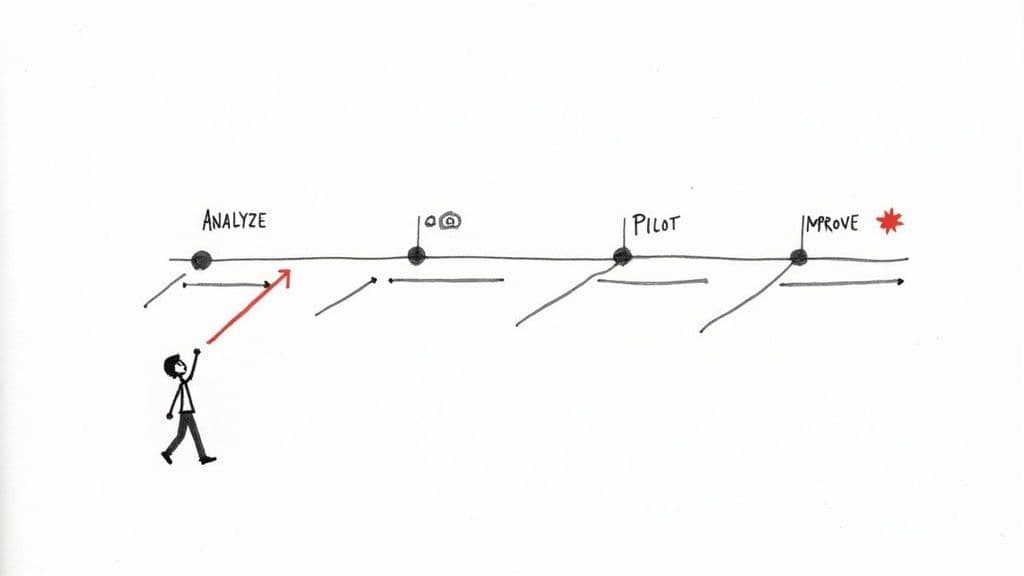
The best way to think about streamlining is as a cycle, not a one-off fix. It's a continuous commitment to doing things better, which is what keeps a business sharp and competitive. The whole journey breaks down into four core pillars, each one setting the stage for the next.
This table gives you a bird's-eye view of the path we're about to take.
Core Pillars of Business Process Streamlining
| Pillar | Objective | Key Activity |
|---|---|---|
| Analysis | Figure out what’s actually slow and painful | Audit your current processes and talk to your team |
| Redesign | Design a better, more efficient way of working | Create visual flowcharts of the new workflow |
| Implementation | Put the new process into action with the right tools | Set up automation and train everyone involved |
| Measurement | See if it's working and find ways to improve | Track key metrics and collect feedback regularly |
Following a clear structure like this means you’re not just making changes based on gut feelings. You’re using real information to make smart decisions that lead to real results.
Why This Matters Now
In today’s market, how well you run your operations is a massive competitive advantage. It's not a small thing—companies that have invested in automation have seen their operating costs drop by an average of 22%. Even better, the ROI for tools like Robotic Process Automation (RPA) can be anywhere from 30% to 200% in the first year alone. You can dig into more automation statistics and industry insights to see just how big the impact can be.
The real win here is creating a system that lets your team focus on creative, high-impact work instead of getting bogged down by mind-numbing administrative tasks. Every bottleneck you clear unleashes more human potential.
This first phase is all about getting that solid foundation in place. It’s where you’ll find the low-hanging fruit—the quick wins that will make the biggest difference right away.
Uncovering Inefficiencies Hiding in Plain Sight
Before you can start streamlining anything, you first have to figure out what's actually broken. It’s rarely a single, catastrophic failure. More often, inefficiency is a quiet thief—a collection of small, frustrating hurdles that drain time and energy from your team every single day.
Moving past guesswork means you have to get intentional. Put on your detective hat and start looking at your operations with a critical eye to find the real sources of friction. The goal isn't just to patch up the symptoms; it's to diagnose the root cause of what’s holding you back.
Go Straight to the Source: Talk to Your Team
The people on the front lines know the secrets of any process. They live with the workarounds, the frustrating extra steps, and the parts that just don’t make sense. The single best way to get honest, ground-level insights is to simply talk to them.
These aren’t formal performance reviews. Think of them as collaborative brainstorming sessions to map out the real workflow. Get the ball rolling with open-ended questions:
- "Can you walk me through how you handle a new client request from start to finish?"
- "What's the most frustrating or time-consuming part of this for you?"
- "If you had a magic wand, what's the one thing you would change about this workflow?"
A marketing team I worked with did exactly this. They thought their content approval process took about a day. Turns out, it was closer to four. The delay came from a confusing and poorly defined handoff between the writer, the designer, and the social media manager—a bottleneck that only surfaced when they all got in a room and talked it through.
Follow the Data Trail to Spot Delays
Personal stories are powerful, but data gives you the hard evidence. You don’t need a fancy analytics platform to get started. A little bit of simple data tracking can tell you a whole lot about where your processes are getting stuck.
For instance, a sales team might discover they're spending 40% of their time on manual data entry just by tracking how they spend their hours for a single week. That's a massive red flag and a prime opportunity for automation. But the problem isn't just about lost productivity; it’s about the human cost.
It turns out this is a common struggle. In the finance sector, about 35% of professionals point to poor systems as their main workflow challenge. Even more telling, over half of all workers say inefficient processes negatively impact their work-life balance. You can dive into more business process statistics to see the full picture.
This data highlights a critical point: streamlining isn’t just a business decision, it’s a people decision. Fixing broken workflows has a direct, positive impact on morale and retention.
Visualize Your Workflow to See the Bottlenecks
Sometimes, you can't see the problem until you draw it out. Creating a simple visual map of your process is a fantastic way to spot bottlenecks, redundant steps, and confusing loops. You don’t need special software—a whiteboard or a digital tool like Miro works perfectly.
Map out every single step, from the initial trigger to the final outcome. As you start connecting the dots, you'll begin to see things that weren't obvious from just talking about it.
Common issues that pop out during workflow mapping:
- Redundant Approvals: Does a single document really need a sign-off from three different managers when one would do?
- Information Silos: Is one person constantly waiting on another team for a piece of information, creating a delay?
- Manual Handoffs: Are tasks passed along via email or chat, where they can easily get lost, buried, or forgotten?
- Excessive Task Switching: Are your people constantly jumping between three different apps just to complete one task?
Each one of these is a point of friction. By mapping them out, you create a tangible blueprint of what needs fixing. You can physically circle the problem areas on your whiteboard and start brainstorming solutions right then and there. This visual clarity is often the catalyst that turns that vague feeling of "we could be faster" into a concrete plan.
Mapping Your Path to a More Efficient Workflow
Alright, so you’ve pinpointed the friction in your operations. Think of it like finding a traffic jam on your daily commute. Now, it's time to find a better route. This is where process mapping comes into play—it's the nitty-gritty work of visualizing, step-by-step, how work actually gets done so you can design a smarter, faster way forward.
Your first move is to map the 'as-is' process. This isn't about placing blame or pointing fingers; it's about getting an honest look at your current workflow, warts and all. Grab your team, a whiteboard (or a digital one like Miro or Lucidchart), and start tracing a task from the moment it's created to the moment it's done.
You'll want to interview the people who live in this process every day, analyze what they tell you, and then draw it all out.
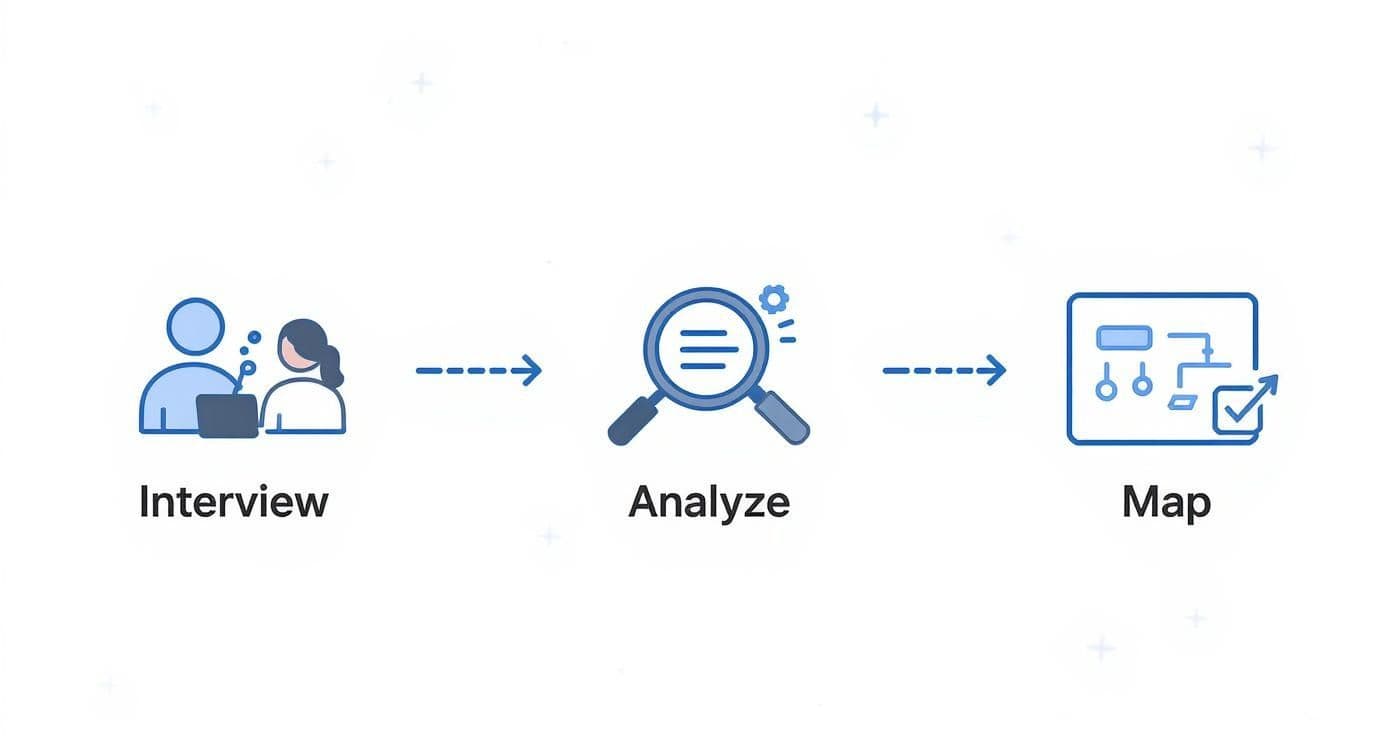
Putting it all on a map like this has a way of making hidden complexities and unnecessary detours glaringly obvious to everyone in the room.
From Basic Flowcharts to Detailed Swimlanes
For straightforward processes, a simple flowchart is often all you need. It uses basic shapes for tasks and decision points, connected by arrows. It’s a great way to get a quick, high-level picture of how things work.
But when you have a process that bounces between different people or departments, a simple flowchart can quickly turn into a tangled mess. This is where a swimlane diagram is a game-changer. Just like a swimming pool has lanes for each swimmer, this diagram gives each person or team their own lane.
This layout makes it instantly clear who is responsible for what, and when. It’s particularly powerful for finding problems with handoffs—one of the most common places for work to get stuck.
A good swimlane diagram will help you answer questions like:
- Where exactly does a task move from Marketing to Sales?
- Is there a two-day delay between when one person finishes their part and the next person even sees it?
- Does this invoice really need to go back and forth between accounting and the project manager three times?
Visualizing these handoffs shows you precisely where communication is failing or where a convoluted approval process is creating a bottleneck.
Designing the Future, Together
Once your 'as-is' map is on the wall with the problem areas circled, it's time to shift from documenting to designing. This is where you create the 'to-be' process—your vision for a clean, efficient workflow. The single most important rule here? Do it as a team.
A process designed in isolation is a process destined to fail. The people who do the work every day have the most practical insights into what will actually be more efficient, not just what looks good on paper.
Get everyone together and focus the conversation on one core question: "How can we get from A to Z with the fewest steps possible, without sacrificing quality?"
Go through every single step on your old map and challenge it. Be relentless with your "whys."
- Why does this need a manager's approval?
- Why are we entering the same client data in two different systems?
- Why is someone still doing this part manually?
This approach does more than just produce a better workflow; it creates buy-in. When your team helps build the solution, they feel a sense of ownership. You're not just pushing a new set of rules from the top down. You’re building a better way to work, together. That final 'to-be' map becomes your blueprint for change—a clear, practical guide that everyone understands and is invested in following.
Choosing the Right Tools for Automation
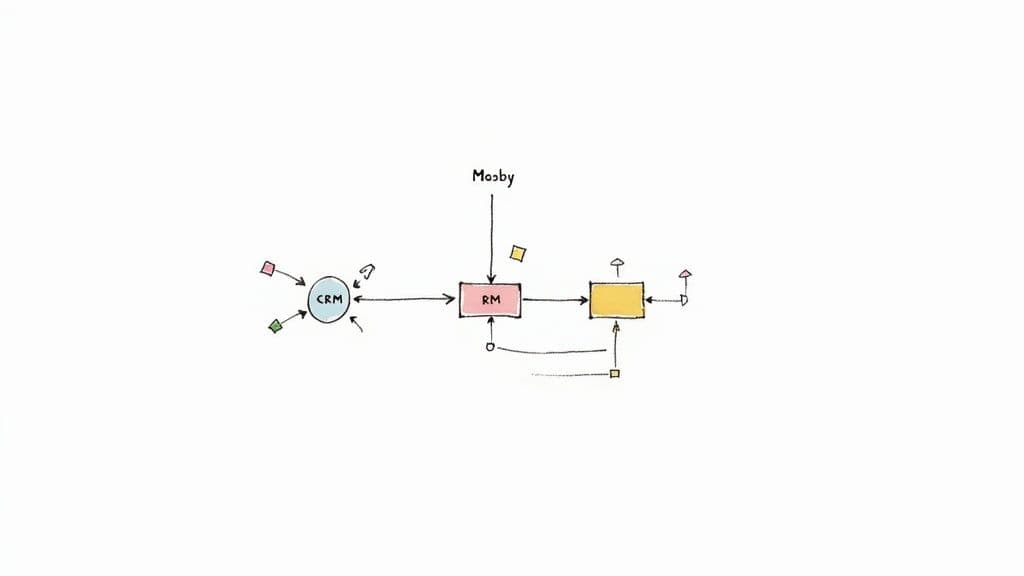 Once you have a redesigned process map, you’ve officially moved from theory to a practical blueprint for a better workflow. Now for the exciting part: bringing that blueprint to life with technology.
Picking the right tools isn't about grabbing the newest, shiniest software off the shelf. It’s a strategic decision. The goal is to find a solution that perfectly matches the scale and complexity of your new workflow without over-engineering it. This is where automation starts doing the heavy lifting for you.
Getting Started with No-Code Integration Platforms
For most small businesses and teams, the easiest and most impactful entry point into automation is a no-code integration platform. Think of tools like Zapier or Make. These platforms act like digital glue, connecting the apps you already use every day so they can finally talk to each other without you having to do it for them.
The real beauty is in their simplicity. You can build powerful "if this, then that" workflows in a matter of minutes. Imagine a new client signing a contract in DocuSign. An integration platform can automatically create a project for them in Asana, send a welcome email from your Gmail, and add their details to your HubSpot CRM. Zero manual work.
These tools are a great fit when:
- Your process requires moving information between two or more cloud-based apps.
- The tasks are repetitive, follow clear rules, and don't involve complex judgment calls.
- You need a solution that’s fast, affordable, and doesn't require a developer.
This approach is perfect for streamlining common tasks like client onboarding, managing sales leads, or distributing content. A small marketing agency, for example, could use a tool like this to automatically share a new blog post across all their social channels and then add anyone who likes or comments to a targeted email list.
When to Bring in Business Process Management Systems
As your business grows, you'll likely find that simple point-to-point integrations just can't keep up. When a process involves multiple stages, complex approvals, and detailed tracking across several departments, you need something more robust. This is where a Business Process Management (BPM) system comes into play.
BPM software gives you a central hub to design, run, and monitor your most critical workflows from start to finish. It provides that much-needed bird's-eye view, showing you exactly where every task is and who needs to act next. These systems are built for core business functions like procurement, new employee onboarding, or customer support escalations.
For those managing complex projects that need clear stages and tight team collaboration, starting with a powerful Notion project management template can be an excellent first step toward building a more organized, BPM-like workflow within a flexible environment.
A BPM tool is all about gaining control and visibility. It’s for when you need to enforce a standard process, eliminate guesswork, and track performance with real data to make sure nothing ever falls through the cracks.
Scaling Up with Robotic Process Automation
For larger organizations grappling with high-volume, mind-numbingly repetitive tasks—especially those involving older, legacy systems—Robotic Process Automation (RPA) is the next frontier. RPA uses software "bots" to mimic human actions directly on a screen, like clicking buttons, copying and pasting data, and filling out forms.
RPA is a lifesaver when you can't connect systems with a modern API. Picture a corporate finance team that has to process thousands of invoices every month from an old accounting system. An RPA bot can be trained to open an email, download the invoice, extract the invoice number and amount, log into the legacy software to enter that data, and then archive the file. It’s pure digital mimicry at a massive scale.
The growth here is huge. The global RPA market hit an estimated $22.79 billion in 2024, with projections for explosive growth. In fact, 53% of businesses are already using it in some form. This technology is a true game-changer for any operation that’s bogged down by manual data entry.
Choosing the right tool can feel daunting, but it doesn’t have to be. The table below breaks down these three tiers of automation to help you pinpoint the best fit for your current situation.
Automation Tool Comparison for Different Business Needs
| Tool Type | Best For | Typical Cost | Example |
|---|---|---|---|
| No-Code Integration Platform | Connecting cloud apps for simple, linear tasks (e.g., lead management, social media posting). | Low (Freemium to ~$50/mo) | Zapier, Make |
| Business Process Management (BPM) | Managing complex, multi-step workflows with approvals and tracking (e.g., employee onboarding). | Medium (~$25 - $200+/user/mo) | Process Street, Kissflow |
| Robotic Process Automation (RPA) | Automating high-volume, repetitive tasks on legacy systems with no APIs. | High (Often requires custom setup and licensing) | UiPath, Automation Anywhere |
Ultimately, making the right choice comes down to a clear-eyed assessment of your needs. Don't buy a sledgehammer to crack a nut. Start with the simplest tool that solves your immediate problem, and only move up to more powerful solutions like BPM or RPA when your processes truly demand that next level of control and scale.
Implementing Change and Driving Team Adoption
You can design the most brilliant, efficient workflow in the world, but it's completely useless if your team doesn't actually use it. This is the exact spot where so many well-intentioned process improvements fall apart—not because of the tech, but because of the people. Successfully rolling out a new system is less about software and more a masterclass in communication, empathy, and smart planning.
<iframe width="100%" style="aspect-ratio: 16 / 9;" src="https://www.youtube.com/embed/-T_dtmY5nZ4" frameborder="0" allow="autoplay; encrypted-media" allowfullscreen></iframe>The single biggest mistake I see companies make is the "big bang" launch, where a new process is suddenly dropped on everyone at once. This approach almost always backfires, leading to confusion, pushback, and a quick retreat to the old, comfortable way of doing things. There's a much better way: start small.
Test the Waters with a Pilot Program
Before you go all-in, select a small, receptive group of employees to be your pioneers. Think of this as a real-world stress test. You're not just testing the software; you're testing the human experience of the new workflow, with all its messy, unpredictable variables.
During this pilot phase, you need to be a feedback magnet. Focus on asking:
- Was it clear? Were the new steps easy to grasp and follow, or did people get lost?
- Where was the friction? Pinpoint the exact moments people got stuck, frustrated, or confused.
- Did it actually save time? Did the new process feel faster, or was it just different for the sake of being different?
This small-scale trial is incredibly valuable. It lets you iron out the kinks, improve your training materials, and—most importantly—create a core group of internal champions who can vouch for the new system when it’s time for the company-wide launch.
Communication Is Your Most Powerful Tool
Once you've refined the process and are ready for a wider rollout, your communication strategy is everything. Please, don't just send a memo announcing the change. You need to build a narrative that gets your team genuinely invested in the outcome.
Frame the change around the benefits for them. This isn't about hitting some abstract corporate KPI; it's about getting rid of the tedious, frustrating tasks they complain about every week. When your team sees that you're actively trying to solve their problems, adoption feels less like a top-down mandate and more like a welcome relief.
The goal is to transform resistance into collaboration. Instead of deflecting concerns, invite them. Openly acknowledge the learning curve and position the new process as something that will evolve with their feedback.
Consider this: over 90% of workers say automation boosts their productivity. This data, shared in a report on automation's impact by thunderbit.com, shows that employees often see these tools as helpers, not job threats. You can build on this positive perception by focusing on how the new workflow empowers them to do more meaningful work.
Create Training That Actually Sticks
Long, dense manuals are where good intentions go to die. Nobody reads them. Effective training has to be hands-on, practical, and directly tied to your team’s day-to-day tasks. I've found a blended approach works best:
- Live Workshops: Walk through the new workflow as a group. This lets people ask questions in the moment and learn from each other.
- Short Video Tutorials: Record your screen while performing key tasks. These become a go-to library for anyone who needs a quick refresher.
- Quick Reference Guides: Create a simple, one-page "cheat sheet" that covers the most critical steps. It’s perfect for taping to a monitor or saving to the desktop.
Great training and clear communication are the bedrock of lasting change. By focusing on collaboration in project management, you create an environment where your team feels supported and heard, turning a potentially rocky transition into a shared success.
Measuring Success and Fostering Continuous Improvement
Getting a new, streamlined workflow up and running feels like a huge win, but it’s really just the starting point. If you want to truly master how to streamline business processes, you have to treat it less like a one-time project and more like an ongoing cycle of refinement. Without measurement, you’re just guessing—relying on gut feelings instead of hard data to know if your changes are actually moving the needle.
The first thing you need to do is define what success actually looks like in concrete terms. This means setting up Key Performance Indicators (KPIs) that directly show how well your new workflow is performing. These aren't just vanity metrics; they're tangible data points that tell a clear story.
Defining Your Core Metrics
Every process is different, but a few universal metrics are a great place to start for most businesses. Think about tracking these to see the real-world impact of your improvements:
- Cycle Time: How long does it take to get from A to Z? A significant drop in the total time to complete a process is a clear win.
- Error Rate: What percentage of outcomes have mistakes or need to be redone? A lower rate means better quality and less wasted time.
- Cost Per Transaction: What’s the total operational cost divided by the number of successful outcomes? This one ties efficiency directly to your bottom line.
By keeping an eye on these numbers, you turn a vague goal like "becoming more efficient" into a measurable objective. For example, instead of just hoping to onboard clients faster, you can set a specific goal to cut the average cycle time from five days down to two. Sometimes, that means getting serious about tracking consultant hours. Our guide on the best time tracking software for consultants shows how the right tools can make gathering this data almost effortless.
Fostering a Culture of Continuous Improvement
Here’s the thing: data on its own doesn't create change. Your company culture does. The real goal is to build an environment where every single person on your team feels empowered to spot inefficiencies and suggest better ways of doing things. When that happens, process optimization stops being a top-down mandate and becomes a collaborative effort.
A streamlined process is never truly "finished." It's a living system that should adapt and evolve as your business, technology, and team capabilities grow. The most successful organizations are those that make continuous improvement a core part of their DNA.
This mindset is everything. Without it, even the most brilliant plans can fall flat. It's a sobering statistic, but around 70% of digital transformation projects don't hit their targets. As Thunderbit explains in their automation insights, this often happens because companies get caught up in the initial tech rollout and forget about the long-term game of measuring and iterating.
So, how do you build this culture? Start by scheduling regular process reviews—maybe once a quarter—to talk openly about what’s working, what’s not, and what could be better. Create a simple feedback loop, like a dedicated Slack channel or a section in your Notion workspace, for people to drop ideas. When you act on their suggestions, you show that their insights matter, which just encourages more engagement and better ideas.
Got Questions About Streamlining? Let's Tackle Them.
Diving into process improvement always brings up a few "what ifs." It's completely normal. Having solid answers to these common questions can be the difference between moving forward with confidence and getting stuck in analysis paralysis.
A question I hear all the time is about the upfront time commitment. "Isn't this going to take forever?" It’s true, mapping out your current workflows and designing better ones isn't a five-minute job. But that initial effort pays you back tenfold. Think of it this way: you can spend a few hours planning the route now or waste days stuck in traffic later.
"Will This Completely Derail Our Operations?"
This is probably the biggest fear of all. Will trying to improve things actually grind everything to a halt? The short answer is no—not if you do it right. The secret is to avoid a big-bang, company-wide launch on day one. That’s a recipe for chaos.
Instead, think in terms of a phased, controlled rollout. Here’s a simple plan that works:
- Run a Pilot: Grab a small, motivated group and have them test the new workflow. This is your controlled experiment. You’ll uncover kinks and fix them before they affect the entire company.
- Explain the 'Why': No one likes change for the sake of change. You have to communicate why this new process is better. Frame it around how it makes their jobs easier and more effective, not just different.
- Make Training Bite-Sized: Forget massive training manuals. Create short videos and simple one-page guides. Your team needs quick answers right when they're stuck, not a homework assignment.
This method turns a potentially disruptive event into a smooth, manageable evolution. It gives people time to adapt without feeling like the rug has been pulled out from under them.
Remember, the aim here is progress, not perfection on day one. A slightly better process that your team actually adopts is infinitely more valuable than a "perfect" system that's too complicated to ever get off the ground.
At the end of the day, making these changes stick is a team sport. When you bring your people into the process, test your ideas in the real world, and keep communication lines open, you can squash concerns before they grow into real problems. That's how you guarantee a successful rollout.
Ready to stop building from scratch and start streamlining today? Flowtion provides professionally designed Notion templates to organize your work, life, and home in just one click. Find your perfect workflow solution at theflowtion.com.