Goal Planning Templates for 2025 Success
Discover how goal planning templates can turn ambitions into clear, doable steps - start organizing, tracking, and achieving today.
Goal planning templates are more than just fancy to-do lists; they’re the blueprints that turn your big, fuzzy ambitions into real, achievable steps. Think of them as a pre-built system for defining what you want, tracking how you're doing, and keeping yourself on the hook. Honestly, using a good one dramatically boosts your chances of actually getting things done.
Why Goal Planning Templates Are Your Secret Weapon
We've all been there, right? That burst of New Year's motivation that vanishes by February. The problem usually isn't a weak goal—it's a weak system. This is precisely where a solid goal planning template comes in and changes the game.
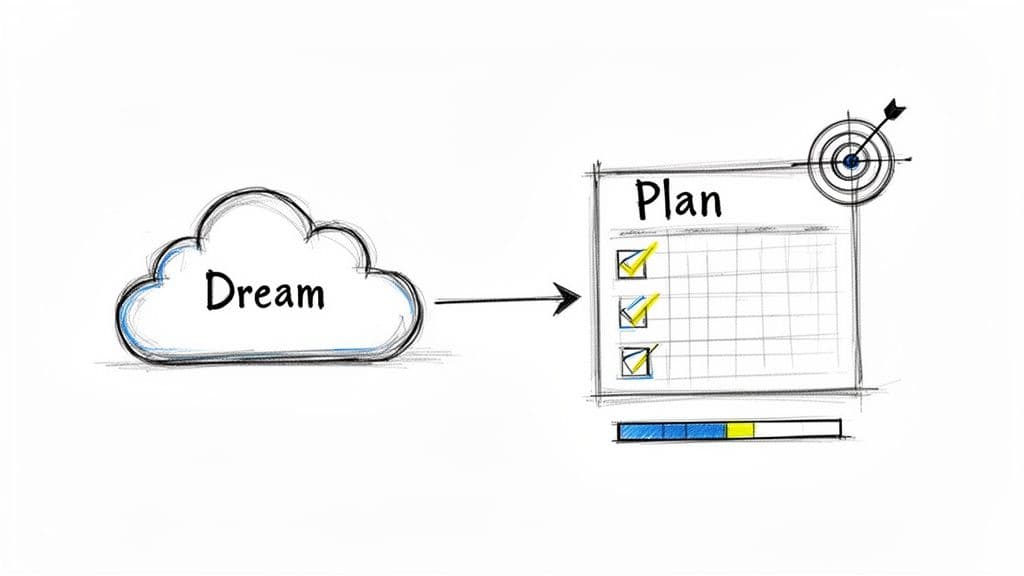
A well-made template is the bridge between a dream you have and the tasks on your daily calendar. It forces you to get granular. An idea like "get healthier" becomes a concrete plan: "complete three 30-minute workouts per week and drink 2 liters of water daily." It's this simple shift from wishing to planning that makes all the difference.
The Power of a Structured Framework
Without some kind of structure, our goals just float around in our heads as vague ideas. A template gives you the scaffolding to build those ambitions into something tangible. It’s a systematic approach designed to sidestep the most common reasons goals fail: being too vague, having no one to answer to, and just not knowing if you're making progress.
The data backs this up. When organizations adopt structured methods like SMART goals or OKRs, they see objective attainment jump by 20–50%. A template is just your personal version of these battle-tested principles. You get a powerful system from day one. You can discover more insights on goal-setting systems that show just how effective this is.
Here’s how that structure really helps:
- It demands clarity. The template will prompt you to define what "done" actually looks like, who's responsible, and when it needs to happen. No more guesswork.
- It defines your metrics. It pushes you to decide on the exact numbers or outcomes that will prove you've hit your target.
- It creates a feedback loop. With built-in check-ins and progress tracking, you can see what's working and adjust your strategy on the fly.
A goal without a plan is just a wish. Templates are the machinery that turns wishes into plans and plans into accomplishments. They provide the guardrails that keep you focused and moving forward, even when motivation wanes.
From Ambition to Action The Template Advantage
The difference between just setting a goal and using a template is night and day. One relies on a spark of inspiration, which never lasts. The other builds a reliable process you can count on.
This table really breaks down how templates solve the most common roadblocks we all face.
| Common Goal Setting Problem | How Templates Provide a Solution |
|---|---|
| Vague Ambitions (e.g., "Get in shape") | Forces Specificity by requiring you to define measurable outcomes (e.g., "Run a 5K in under 30 minutes"). |
| No Clear Action Plan | Breaks Down Goals into projects, tasks, and sub-tasks, creating a clear hierarchy of actions. |
| Poor Progress Tracking | Includes Built-in Metrics like progress bars, completion checkboxes, and status updates for instant visibility. |
| Lack of Accountability | Creates a Central Hub where you can review commitments and track performance against deadlines. |
At the end of the day, using a template isn’t about being rigid—it’s about being intentional. It gives your goals a home, transforming them from abstract thoughts into a living, breathing project you can manage, measure, and, most importantly, achieve.
Choosing the Right Goal Template for Your Life
Think of picking a goal-planning template like choosing the right tool for a job. You wouldn’t use a hammer to turn a screw, right? In the same way, the perfect template for a freelance designer juggling client work is going to look completely different from what a university student needs to stay on top of exams.
The whole point is to find a system that actually fits your world and how you work.
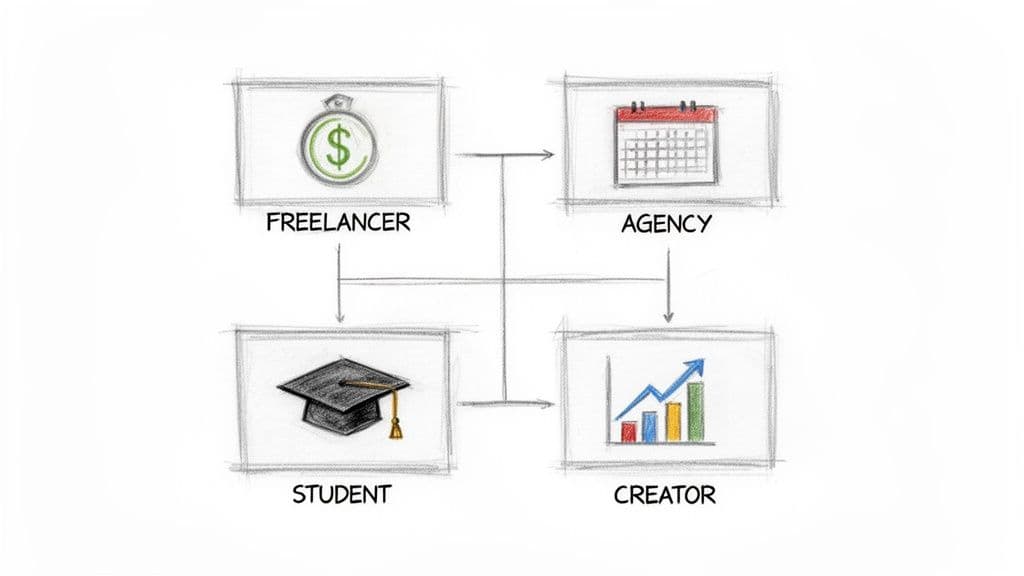
This isn’t about a one-size-fits-all solution. It’s about making a smart choice that turns your Notion workspace into a genuine partner in your success, not just another digital folder you forget about. Let's dig into what different people should be looking for to find their perfect match.
For the Freelancer and Solopreneur
When you're a freelancer, your goals are your business. They're tied directly to projects, clients, and cold, hard cash. Your template needs to be more than a simple to-do list; it should act as a lightweight command center for your entire operation.
A generic task list just won't cut it. You need a system built around interconnected databases. Look for these must-haves:
- Project & Task Management: A crystal-clear way to connect every single task back to a specific client or project.
- Client Database: A simple CRM to keep track of contact info, project history, and key conversations.
- Income & Invoice Tracking: This is non-negotiable. You need properties to log project fees, track invoice dates, and see what's been paid.
Let's say your goal is to "Increase quarterly income by 15%." A solid template will let you see exactly which projects are getting you closer to that number, helping you focus your energy on high-value work.
For the Agency Team
Agencies are a whole different ballgame. You're juggling multiple clients, internal teams, and seriously complex timelines. The focus shifts from one person's productivity to the entire team's alignment. Here, the right template is your single source of truth—it keeps everyone on the same page and prevents things from falling through the cracks.
An agency’s success hinges on shared context. A template that centralizes client goals, team responsibilities, and project statuses isn't just a convenience—it's a critical operational tool for delivering results and maintaining client trust.
Your template absolutely must be built for collaboration and visibility. Here’s what to look for:
- Team & Client Dashboards: Custom views are key. Clients get a high-level look at progress, while your team sees the nitty-gritty action items.
- Resource Allocation: You need a way to assign people to projects and tasks, usually with Notion's "Person" property.
- Master Calendar View: A single, integrated calendar that pulls in deadlines from every project. This gives you a bird's-eye view of all company commitments.
This kind of setup is what allows an agency to tackle a big goal like, "Achieve a 95% client retention rate." It ensures milestones are tracked, accountability is clear, and you can spot potential problems before they blow up.
For the Student
If you're a student, your life is a constant whirlwind of deadlines, different subjects, and personal growth. A good template brings some much-needed order to the chaos, helping you balance urgent assignments with your bigger academic ambitions.
You'll want a template designed specifically for learning and organization. Make sure it includes:
- Course & Syllabus Tracker: A database to hold all the key info for each class—professor details, grades, and links to your notes.
- Assignment & Exam Planner: A master task list where you can add due dates, tag the course, and check off submissions.
- Habit Tracker Integration: A component to help you build and stick with good study habits, reading schedules, or other important routines.
And it’s not always just about academics. Many students are also managing their own money for the first time. For that, you might want to look into building a personalized financial goal setting worksheet to work alongside your study planner.
For the Content Creator
For a content creator, the content calendar is king. Your goals revolve around growing your audience, boosting engagement, and publishing consistently. You need a template that streamlines the entire creative workflow, from that first spark of an idea all the way to analyzing how it performed.
The best templates for creators blend project management with a content-specific pipeline. If you're struggling to define your goals, our guide on goal and objective examples is a great place to get some ideas. Look for these kinds of features:
- Idea Pipeline: A Kanban board is perfect for this, letting you drag ideas through stages like 'Brainstorming,' 'Scripting,' 'Filming,' and 'Published.'
- Content Calendar: A visual calendar showing your entire publishing schedule across YouTube, your blog, social media—everything.
- Performance Analytics: Simple properties to track key metrics for each piece of content, like views, engagement rate, or subscriber growth.
Template Feature Match for Different Users
To make it even clearer, here’s a quick-reference table matching different users with the template features that will help them most.
| User Type | Essential Template Features | Primary Goal Example |
|---|---|---|
| Freelancer | Project, Client & Invoice Tracking | Increase quarterly income by 15% |
| Agency | Team Dashboards, Resource Allocation | Achieve a 95% client retention rate |
| Student | Course Tracker, Assignment Planner | Maintain a 3.8 GPA this semester |
| Creator | Idea Pipeline, Content Calendar | Grow YouTube subscribers by 20% in Q3 |
Finding the right features from the get-go saves you a ton of time and frustration. It’s all about matching the tool to your specific job.
Getting Your First Notion Goal Template Up and Running
Alright, you've sifted through the options and found a goal-planning template that feels right. Now for the fun part: turning that generic framework into your personal command center. Let's walk through the first few critical steps to get your new system firing on all cylinders, using a real template as our guide.
Even if you're new to Notion, this whole process is surprisingly simple. We'll cover how to copy the template into your own space, get rid of all the placeholder content, and make sure the core databases are talking to each other. By the end of this, you’ll have a clean, organized, and fully functional dashboard just waiting for you to plug in your ambitions.
Making the Template Your Own: The Duplication Process
First things first, you need to bring the template into your own Notion environment. Whether you found it in Notion’s official gallery, a creator's store like Flowtion, or a community forum, the process is pretty much the same. You're basically making a personal copy that you can bend, break, and rebuild however you like without touching the original.
This is exactly why so many people have gravitated toward digital goal-planning tools. You're not just downloading a file; you're importing a pre-built system that someone has already spent hours perfecting. In fact, by 2025, many productivity platforms saw organizations using these templates achieve faster goal reviews and more accurate reporting. It's all about standing on the shoulders of giants. You can discover more insights about the impact of digital templates on goal setting here.
To get started, it's just a few clicks:
- Open the template link in your browser.
- Find the "Duplicate" button, which is almost always in the top-right corner.
- Click it and pick the Notion workspace you want to add it to. Notion will handle the rest, creating a private copy just for you.
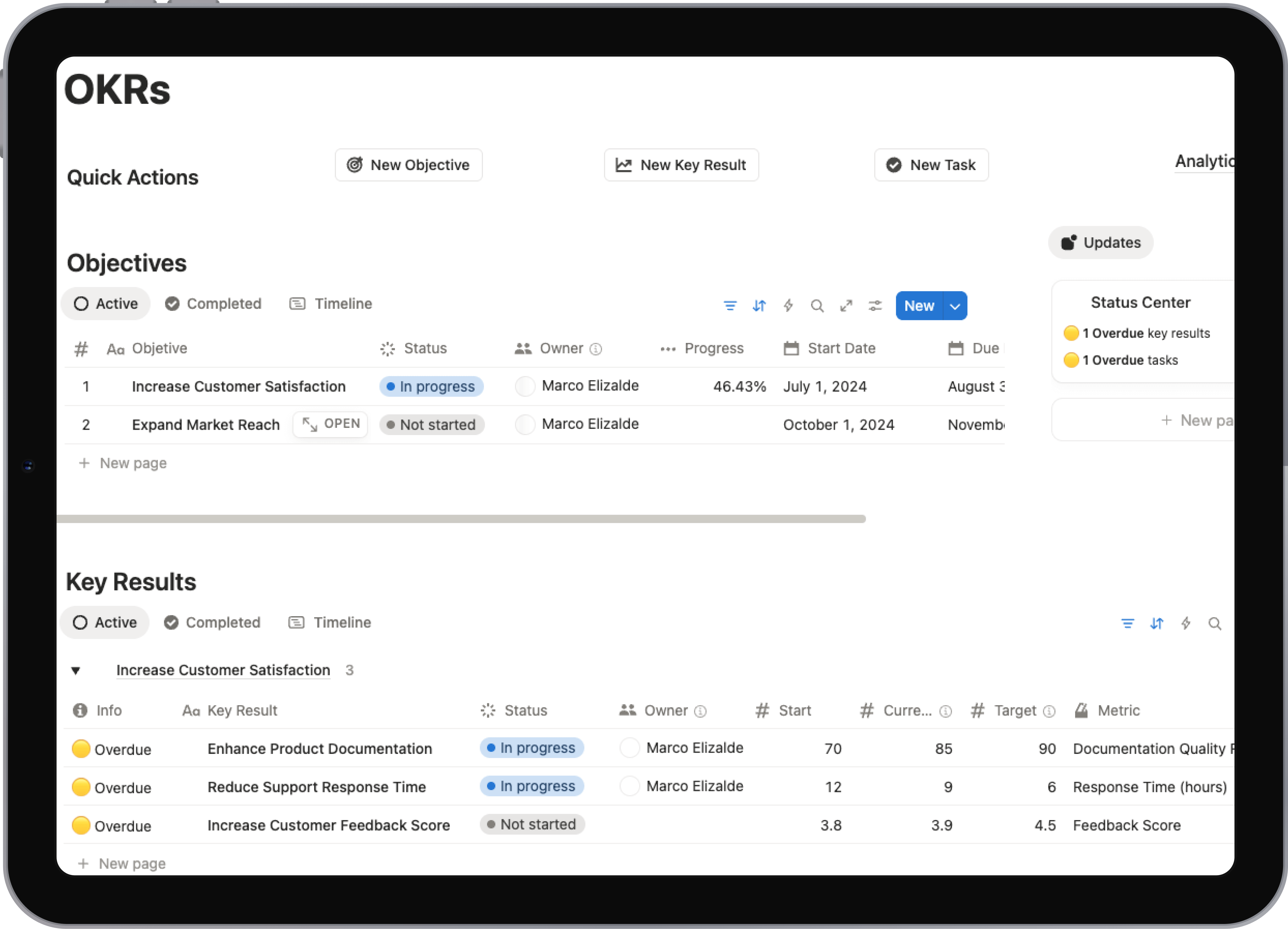
Here's a peek at Notion's own template gallery, which is a great place to see the sheer variety of what's possible.
This gallery is a testament to how flexible these systems can be—from a simple habit tracker to a complex agency-level project hub, all ready to go with one click.
Starting with a Clean Slate: Clearing Demo Data
Most well-designed templates come packed with example data—dummy projects, fake tasks, and sample goals. This stuff is super helpful at first because it shows you how the system is meant to be used. But before you can move in, you need to clear it all out.
Think of it like moving into a new apartment. The staged furniture helped you see the potential, but you need to get it out of there to make room for your own stuff.
My Advice: Before you delete a single thing, take 10-15 minutes to just click around the demo content. See how a 'Project' is linked to a 'Task' or how a 'Goal' pulls in data from another database. Understanding these connections before you start is the key to mastering the template later.
Clearing the data is a manual job, but it’s quick. Just go into each of the main databases (Goals, Projects, Areas, etc.), switch to a table or list view, select all the demo entries with Ctrl/Cmd + A, and hit the delete key. A few minutes of housekeeping now will save you a ton of confusion down the road.
The Secret Sauce: Connecting Your Core Databases
The real magic behind any serious Notion template is its relational databases. This is just a fancy way of saying the different parts of the system can talk to each other. A 'Goal' can be linked to several 'Projects,' and each 'Project' can have a whole list of 'Tasks' under it. This creates a neat, logical pyramid, connecting your day-to-day work directly to your biggest aspirations.
Your template should already have these connections built-in, but it’s crucial to understand how they work.
Let’s say you create your first real goal: "Launch a New Website." Next, you’d pop over to your Projects database and create a couple of related projects, like "Design Website Mockups" and "Develop Backend." Inside the "Design Mockups" project page, you’ll find a property (let's call it "Parent Goal") where you can link it directly back to "Launch a New Website."
This simple act creates a powerful, interconnected web. Now, when you look at that high-level goal, you can instantly see every single project and task feeding into it. It’s this top-down and bottom-up visibility that makes sure no work gets lost in the shuffle. Everything you do has a purpose. With your template duplicated and wiped clean, you're ready to start building this for yourself.
Building Your First Workflow from Goal to Action
Alright, you've got your shiny new template, and it’s a blank canvas. This is where the magic really happens. A goal-planning template is just a tool; its real power comes from the system you build inside it. Let's walk through how to connect a big, ambitious goal to the small, daily actions that actually make it happen.
<iframe width="100%" style="aspect-ratio: 16 / 9;" src="https://www.youtube.com/embed/cYbcgtK0v_Q" frameborder="0" allow="autoplay; encrypted-media" allowfullscreen></iframe>To make this real, let’s use a classic goal that often feels overwhelming: Launch a New YouTube Channel. It's a fantastic idea, but without a clear roadmap, it can easily stay stuck on the "someday" list. Your template is what provides that essential structure.
From Big Vision to Quarterly Objectives
First things first, that big goal needs a home. It belongs in your "Goals" database, acting as your North Star. For our example, the entry is simple: "Launch a New YouTube Channel."
But what does that actually mean for the next 90 days? This is where you get specific by defining a measurable, time-bound objective.
A perfect quarterly objective linked to this goal could be: Produce and Publish 12 High-Quality Videos by the end of Q3. See the difference? We've moved from a vague idea to a concrete target. Now you have something tangible to aim for over the next three months.
The initial setup—duplicating, cleaning, and connecting your databases—is the foundation for this whole process.
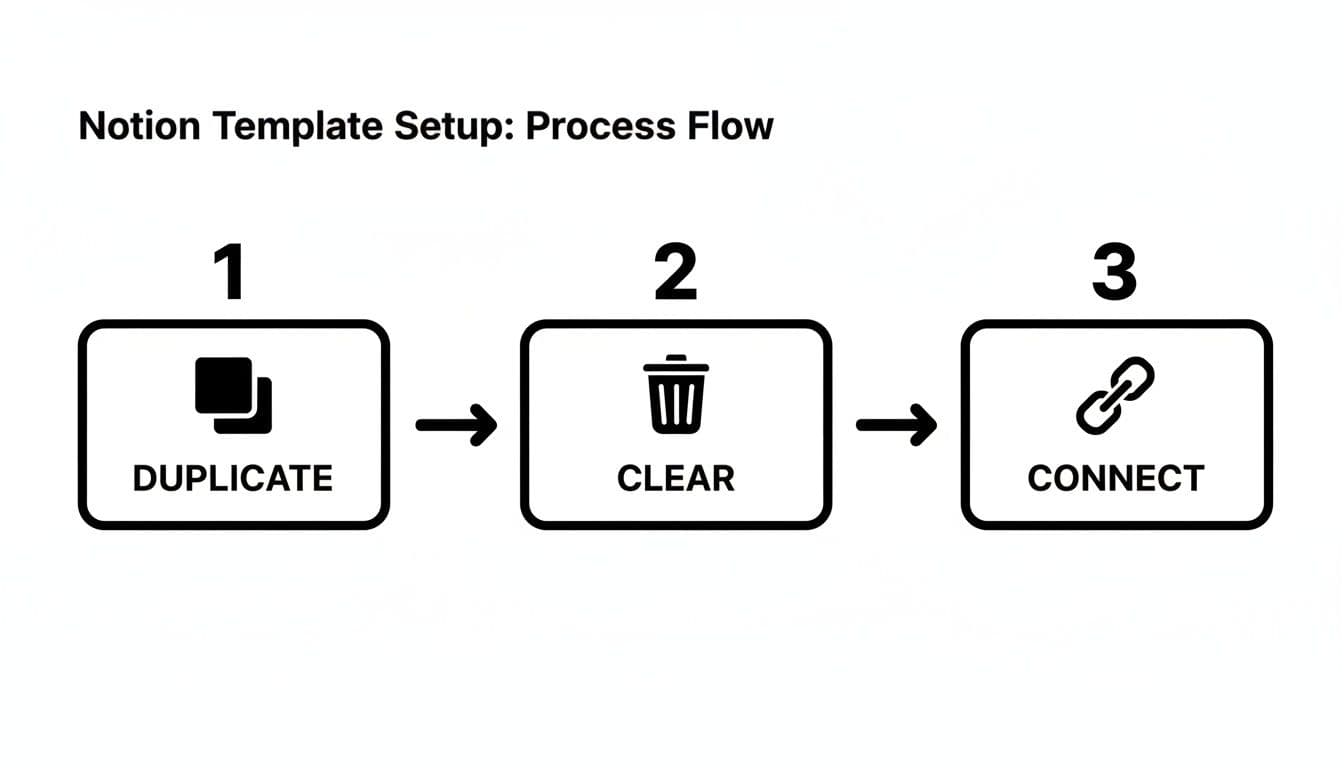
With this simple flow complete, your template transforms from a generic download into a personalized system, ready for your specific goals.
Breaking Objectives into Monthly Projects
Twelve videos is still a pretty big number to tackle all at once. So, the next step is to break it down even further. Head over to your "Projects" database and slice that quarterly objective into manageable monthly chunks. Each month becomes its own mini-project with a clear deliverable.
It might look something like this:
- July Project: Script and Film 4 Videos for August Launch
- August Project: Edit and Schedule 4 Videos, Launch Channel
- September Project: Produce 4 More Videos and Analyze Initial Metrics
Thanks to Notion's relational properties, you can link each of these projects directly back to the "Produce 12 Videos" objective. This creates a powerful hierarchy. Now, when you look at your main goal, you can instantly see every project that’s pushing it forward.
Translating Projects into Weekly and Daily Tasks
This is the final, and most critical, piece of the puzzle: turning those monthly projects into a list of things you can actually do. Inside the "July Project," you'll start listing out all the individual actions required to get those first four videos ready.
These tasks live in your "Tasks" database, and each one is linked back to the July project.
- Research 10 potential video topics
- Outline script for Video 1
- Write full script for Video 1
- Set up lighting and camera for filming day
- Film Video 1 & 2
Give each task a due date and a status, and just like that, the massive goal of "launching a YouTube channel" has become a simple to-do list for the week. This systematic breakdown is what keeps you from feeling overwhelmed and ensures you're always making progress. If you want to see more pre-built systems like this, check out these excellent Notion productivity templates.
Key Takeaway: The power of a goal planning template isn't just listing goals; it's creating a connected ecosystem. Every daily task should be traceable all the way up to your highest-level ambition. If it's not, you should question why you're doing it.
To really supercharge your execution, consider exploring workflow automation tools. They can handle the repetitive, tedious tasks, which frees you up to focus on the creative and strategic work that truly moves the needle.
Making Your Template Work for You
A great goal-planning template is a launchpad, not a cage. Once you've duplicated a template and cleared out the sample data, the real fun begins: bending it to your will and shaping it to fit your unique workflow. True productivity isn't about following someone else's system to the letter; it's about making the system reflect how you think and operate.
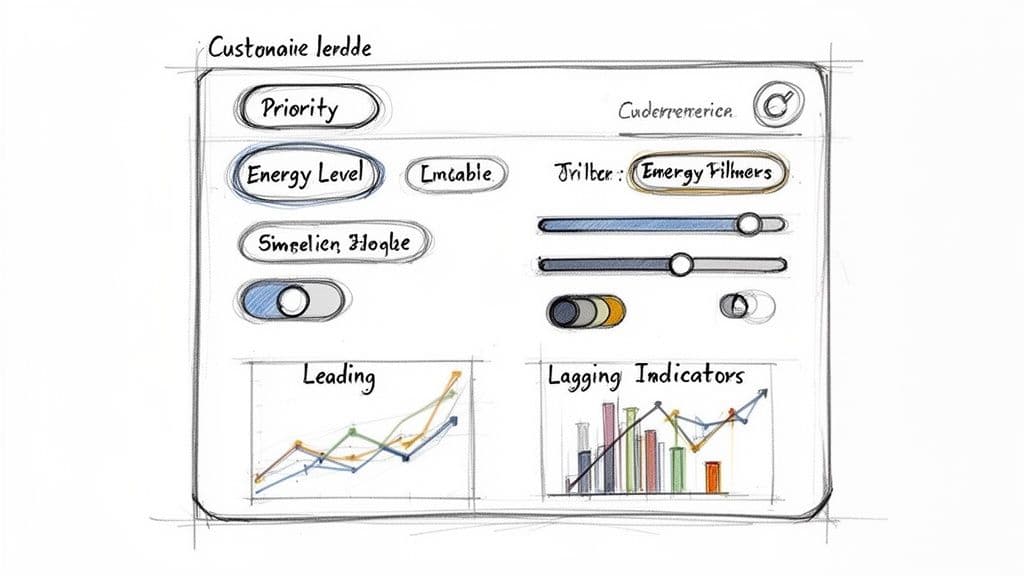
This is all about making the tool serve you, not the other way around. A few simple tweaks can transform a generic layout into a personal command center that feels intuitive and actually keeps you motivated. It all starts with your databases and views.
Personalize Your Database Properties
Every single task, project, and goal in your Notion template is just an entry in a database. The default properties like "Status" and "Due Date" are a solid foundation, but the real power comes when you add your own to track what genuinely matters to your success.
Think about how you personally manage your work. What information do you wish you had at a glance? Adding a new property is a simple but incredibly powerful way to make the template truly yours.
Here are a few ideas I've seen work wonders:
- Priority: A "Select" property with options like 'P1 - Urgent,' 'P2 - High,' and 'P3 - Normal' helps you instantly see what needs your attention right now.
- Energy Level: I love this one. Use tags like 'Deep Work,' 'Admin,' or 'Creative.' This lets you match the right task to your current mental state, so you're not trying to force a creative session when you only have the energy for clearing out your inbox.
- Time Estimate: A simple "Number" property where you can log how many hours you think a task will take. Over time, you'll get much better at planning your weeks realistically.
Master Different Database Views
The exact same list of tasks can feel completely different depending on how you look at it. Don't just stick with the default table or list view if it isn't clicking for you. One of Notion’s biggest strengths is its ability to create multiple views of the same data.
Get in there and experiment with these options to see what fits your brain best:
- Kanban Board: The classic. Group your tasks by 'Status' and you can visually drag them from 'To-Do' to 'In Progress' and finally to 'Done.' It’s incredibly satisfying and perfect for tracking project flow.
- Calendar View: An absolute must-have if you work with deadlines. It lays out all your dated tasks on a calendar, giving you a bird's-eye view of the weeks and months ahead. No more surprises.
- Gallery View: This is a game-changer for visual work. If you’re a designer or content creator, use a gallery view to display your projects with cover images. It turns your project list into a mini-portfolio.
The goal is to create purpose-built dashboards. You might have a "Today" view that's filtered to only show tasks due today with a 'P1 - Urgent' priority. Then, you could have a separate "This Week" view for everything else. This laser-focuses your attention where it needs to be and keeps the overwhelm at bay.
Track the Metrics That Actually Drive Success
Customization isn't just about making things look pretty; it's about measuring what leads to progress. To do this well, you need to understand the two types of metrics that are critical for achieving any meaningful goal.
First, you have lagging indicators. These are your results—the big outcomes you're aiming for. Think 'revenue earned,' 'articles published,' or '500 new subscribers.' They tell you if you’ve succeeded, but by the time you measure them, the work is already done. You can't directly influence them in the moment.
That’s where leading indicators come in. These are the daily actions and habits that you can control and that directly lead to the results you want. Examples include 'hours spent writing,' 'sales calls made,' or 'videos filmed.' These are the inputs that move the needle.
A truly effective goal-planning system tracks both. Your lagging indicators (the big goals) live in a high-level Goals database. Your leading indicators, on the other hand, are the daily and weekly habits you track relentlessly. For a deep dive into this, our guide on building a Notion habit tracker template shows you exactly how to set this up.
This isn't just a productivity hack; it’s a strategy being adopted in corporate performance management. According to PerformYard, structured templates that require managers to define targets, milestones, and metrics help leadership quantitatively compare goals and reduce bias. By tracking both leading and lagging indicators, you build a system that doesn't just define success—it gives you a clear, actionable roadmap to get there.
Got Questions About Notion Goal Planning?
Once you dive into using Notion templates for your goals, a few questions almost always bubble to the surface. These are the little snags that can stall your progress if you're not sure how to handle them. Let's get them sorted out right now so you can keep your momentum.
Think of this as the missing manual for your template. Getting these common hurdles out of the way will help you go from just using the system to making it an indispensable part of how you work.
What if My Goals Change Midway Through the Year?
First off, this isn't a failure—it's a sign of a dynamic, healthy process. Life throws curveballs, priorities pivot, and unexpected opportunities pop up. A digital tool like Notion is built for exactly this kind of flexibility, handling shifts much more gracefully than a static paper planner.
The key is to archive the old goal, not delete it. Wiping it out completely erases the valuable context of why you set it in the first place. A better way is to add a simple "Status" property to your goals database.
Give yourself a few options:
- Active: For goals you're currently chasing.
- On Hold: For goals you've paused but plan to revisit.
- Archived: For goals that are no longer on the radar.
When a goal becomes irrelevant, just flip its status to 'Archived'. This keeps your active dashboard clean but preserves the original goal for your end-of-year review. Then, you can create a new entry for your updated goal and get to work. Your system becomes a living document that grows with you, not a rigid plan you feel guilty about ditching.
How Do I Avoid Getting Overwhelmed by Too Many Tasks?
This is probably the biggest challenge for anyone new to a powerful system. The answer isn't to have fewer tasks; it's to get laser-focused by mastering Notion's powerful views and filters. A master task list is fantastic for capturing everything, but it's a terrible place to work from on a daily basis.
The trick is to create specific, focused dashboards that cut through the noise. By building these dedicated views, you only see what’s relevant in the moment, keeping you focused on the next right step.
Your goal-planning template should feel like a calm command center, not a chaotic to-do list. Custom views are what create that calm by showing you only what you need to see, right when you need to see it.
For instance, you could build a "Today" view that only pulls in tasks due today with a 'High' priority. Or, create a "This Week" view that you use for your weekly planning session. A Kanban board grouped by project gives you that perfect bird's-eye view of progress across all your initiatives.
Can I Use These Goal Planning Templates for My Team?
Absolutely. While many of us start using Notion for our own productivity, it's a beast when it comes to team collaboration. Turning a personal template into a shared team workspace is pretty straightforward and can create a whole new level of alignment and accountability.
The first move is to add a "Person" property to your tasks and projects. This lets you assign a clear owner to every single action item. With that in place, you can build a master team dashboard showing all ongoing projects at a high level.
From there, you can create individual views filtered for each team member, so they only see the tasks on their plate. You can use Notion's comment feature right on the task pages for all the back-and-forth communication. Sharing the entire workspace gives everyone real-time visibility, making it an incredible tool for keeping the team in sync and moving forward together.
Ready to stop building from scratch and start achieving your goals? The Flowtion Complete Bundle gives you a suite of professionally designed, battle-tested Notion templates to manage every aspect of your work and life. Duplicate your new system in one click and get productive today.