Notion Habit Tracker Templates for Daily Routines
Discover notion habit tracker templates to tailor routines, track progress, and easily integrate a powerful habit system into daily life.
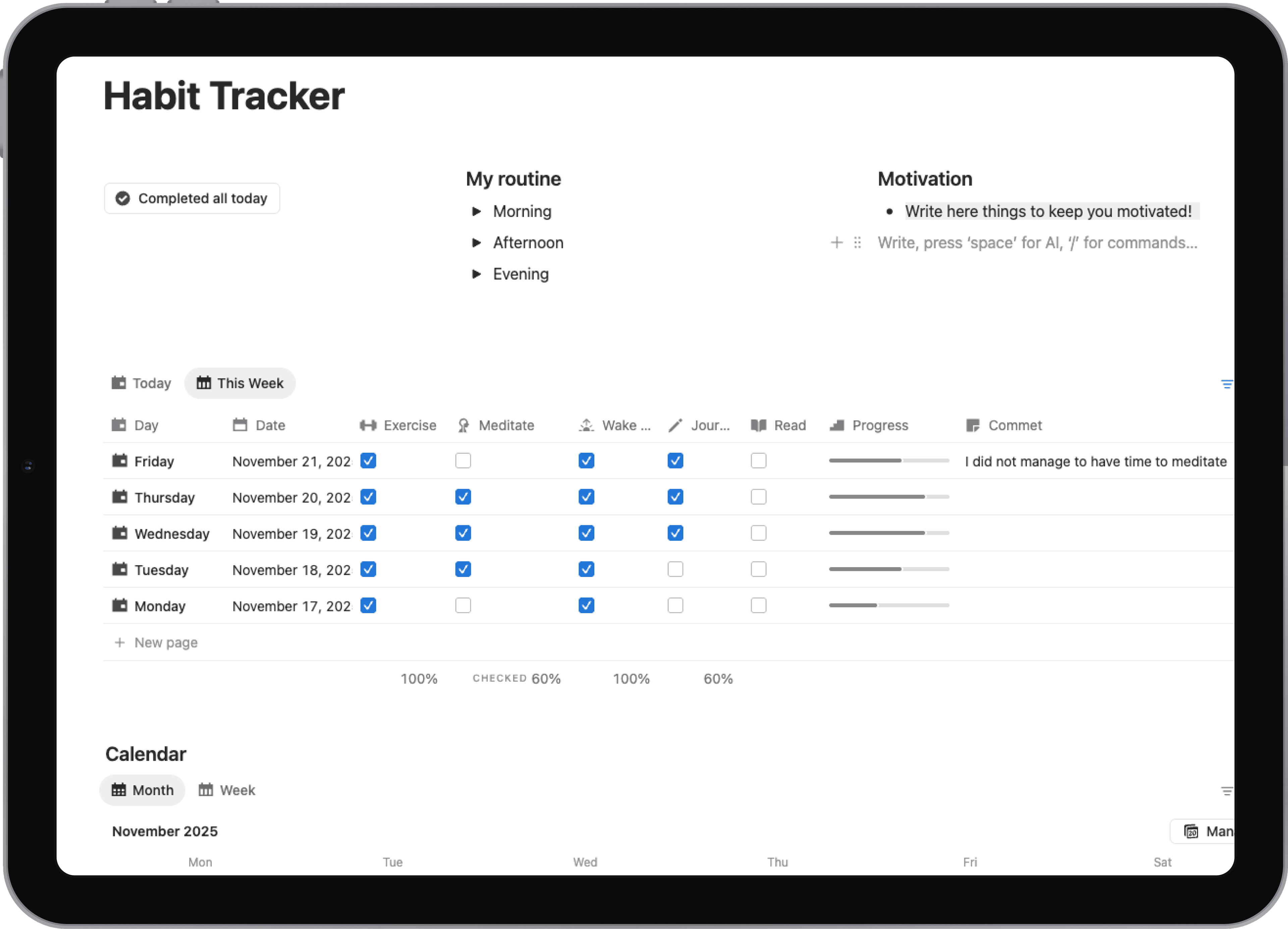
Notion habit tracker templates are much more than simple checklists. They're complete, all-in-one systems built to track your daily actions and, more importantly, tie them directly to your bigger life goals. This is where they leave basic to-do apps in the dust, using Notion's powerful databases to show your progress, build momentum, and create a single hub for your personal growth.
Why Notion Is Your Ultimate Habit Building Partner
Before we jump into the templates themselves, it's worth taking a moment to appreciate why so many people swear by Notion for building habits that actually stick. The secret sauce is its incredible flexibility. It lets you go way beyond a simple "done" or "not done" binary.
Instead of juggling one app for your goals, another for journaling, and a third for tracking habits, Notion pulls it all into one place. This isn't just about convenience; it's about reducing the mental gymnastics of app-switching, which makes it far easier to stay consistent with your new routines.
An Integrated Personal Operating System
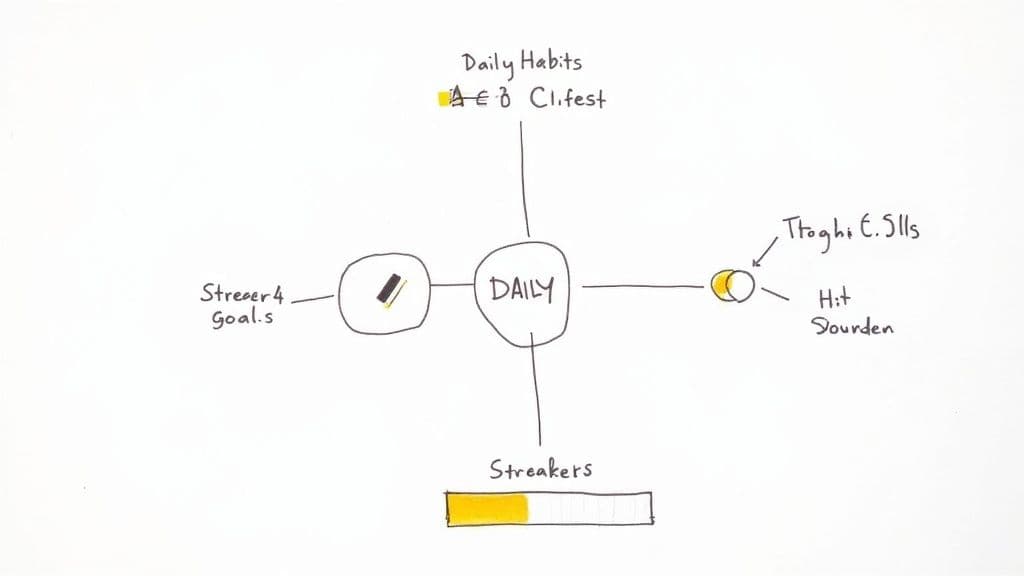
The best way to think about Notion is as your own personal operating system, a place where every piece of your life can connect and interact. That daily habit of "Write for 30 minutes" stops being an isolated task on a list. Suddenly, you can link that single habit directly to:
- Your Projects Database: Watch how that daily writing session moves the needle on your "Finish Novel Draft" project.
- Your Daily Journal: Quickly jot down notes on what went well or why you struggled with the habit today.
- Your Weekly Review: Automatically see your writing sessions tallied up, giving you a clear picture of your consistency.
This web of connections gives your daily actions context and meaning. You're not just ticking a box—you're actively laying another brick in the foundation of a goal you truly care about.
The Motivational Power of Visual Progress
Let's be honest, seeing your progress is a huge motivator. Notion is brilliant at this, turning your raw checkmarks into visuals that actually inspire you. A well-built habit tracker doesn't just record what you did; it celebrates your effort with things like automated progress bars, streak counters, and charts that dynamically update your success rate.
By turning abstract goals into tangible, daily actions, a Notion habit tracker creates a feedback loop that reinforces positive behavior and makes consistency feel rewarding.
This visual feedback works. In fact, data from some of the most popular templates shows that 92% of users said they were more likely to stick with their routines thanks to visual progress and streak-building features.
It's this ability to build a deeply personal and interconnected system that truly makes Notion different. For more inspiration on how to build out your own digital space, take a look at our other posts on the topic: https://theflowtion.com/blog/notion. You’re not just downloading another app; you're building a system that can support real, lasting change.
Choosing the Right Notion Habit Tracker Template
The sheer number of Notion habit tracker templates out there can be a little overwhelming. You've got everything from dead-simple checklists to full-blown life dashboards. The trick is to find one that actually fits your life and goals, because the right system will feel effortless, not like another chore.
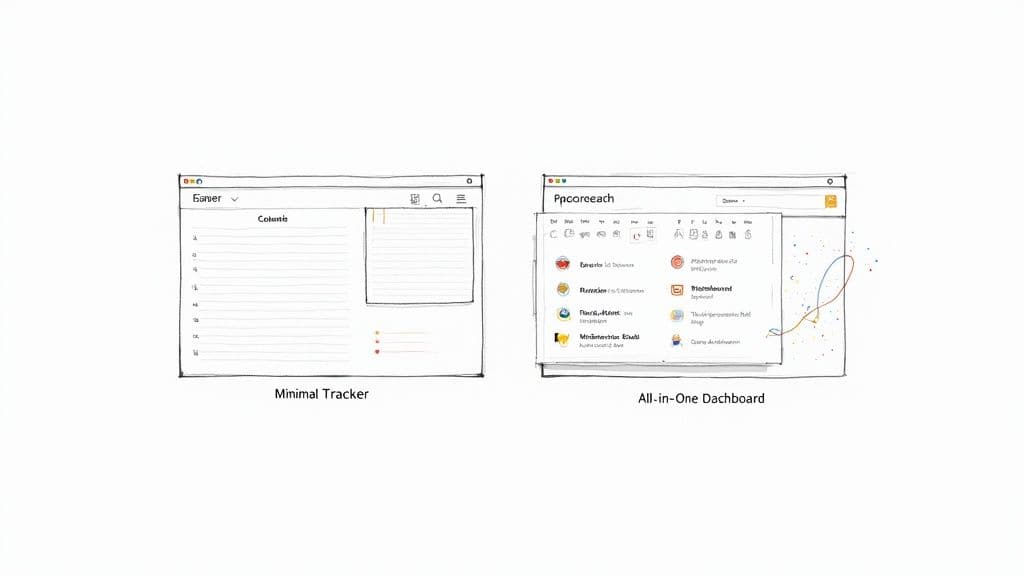
The first big decision is usually between a minimalist setup and a more complex, all-in-one system. A minimalist tracker is exactly what it sounds like: a clean, straightforward way to check off a few key habits each day. It's perfect if you're just getting your feet wet or you get easily distracted by too many bells and whistles.
On the flip side, you have the "life OS" templates. These are the powerhouses that weave your habits directly into your project management, daily journaling, and long-term goals. For a freelancer, this might mean seeing how the habit of “daily client outreach” directly fuels their “Q3 revenue” goal, all within the same dashboard. It connects the dots between your daily actions and your biggest ambitions.
Evaluate Key Features Before Committing
Once you've decided on a general style, it's time to dig into the features. The right functionalities can make all the difference in whether you stick with your tracker for the long haul.
Here's what I always look for:
- Automated Progress Reports: Does the template use formulas to automatically spit out your weekly or monthly success rate? This is a huge time-saver and gives you instant, unbiased feedback on how you're doing.
- Streak Counters: There's something incredibly motivating about not breaking a chain. A good template will have a visual way to track your consecutive days, which can be a powerful psychological nudge to stay on track.
- Archiving Systems: After a few months, a tracker with thousands of entries can start to feel sluggish. A well-designed template will have a simple button or process to archive old data, keeping your workspace fast and clean.
Your ideal template should reduce friction, not create it. If a system feels too complicated to update, you're less likely to use it consistently. Prioritize ease of use over having every possible feature.
Free Community Templates Versus Premium Options
One of the best things about Notion is its generous community. You can find thousands of fantastic free templates to get started and figure out what you really need.
That said, there's a thriving market for premium options, too. Data shows that while 50% of users are happy with free, minimal versions, another 30% prefer feature-rich premium templates from creators on platforms like Gumroad or Etsy. These paid versions usually come with more advanced automations, dedicated support from the creator, and lifetime updates. You can find a deeper dive into these market trends at widgetly.co.
So, which is right for you? It really depends on your priorities.
Comparing Free and Premium Notion Habit Trackers
Use this comparison to decide which type of template best fits your needs and budget.
| Feature | Free Templates | Premium Templates |
|---|---|---|
| Cost | Completely free | One-time fee, typically $10-$75 |
| Setup & Onboarding | DIY; may require you to figure things out on your own | Often includes detailed guides, video tutorials, and clear instructions |
| Aesthetics | Varies widely; can be very basic or quite polished | Professionally designed with a focus on a clean, intuitive UI/UX |
| Automations | Basic formulas and relations; you build advanced features yourself | Complex rollups, progress bars, and automated reports are pre-built |
| Support | Relies on community forums or figuring it out solo | Direct support from the template creator is usually included |
| Updates | Static; what you download is what you get | Often includes free lifetime updates with new features and fixes |
Ultimately, the choice comes down to a simple trade-off: time versus money. Do you prefer to invest your time tinkering with a free foundation, or would you rather pay for a polished, ready-to-go system with ongoing support? Both paths can get you to an amazing habit-tracking setup. The best choice is simply the one you'll stick with.
Making Your New Tracker Your Own
So you've picked a great Notion habit tracker template. Fantastic. But remember, a template is just the starting point—a solid foundation waiting for you to build upon. Now comes the fun part: turning that generic framework into a system that’s unmistakably yours and actually helps you stick to your goals.
First thing's first, you need to get it into your workspace. Look for the "Duplicate" button, which you'll usually find in the top-right corner of the template's page. One click and a perfect copy lands safely in your Notion, ready for you to tinker with. Don't stress about messing anything up; the original template remains untouched. You're working on your personal copy now.
Defining What You'll Actually Track
With the template now living in your workspace, it's time to swap out the placeholder habits. "Drink Water" and "Read 10 Pages" are fine examples, but they probably don't capture the full picture of what you want to achieve. This is where you get specific about the person you're trying to become.
Take a few minutes and really think about your goals.
- For a freelancer trying to scale: Your habits might look like "Send 3 cold emails" or "Spend 30 minutes learning a new skill."
- For a student deep in their studies: You might add "Review lecture notes for 20 minutes" or "Dedicate 1 hour to thesis research."
The trick is to be crystal clear. "Be healthier" is a noble idea, but it's a terrible thing to track. What does it actually mean day-to-day? Break it down into measurable actions like "Go for a 20-minute walk" or "Eat 5 servings of vegetables." This eliminates the guesswork and makes it a simple yes or no.
I see this all the time: people get excited and add a dozen new habits right away. It's a recipe for burnout. My advice? Start small. Pick just 3-5 core habits you truly want to build. Gaining momentum with a few key routines is way more powerful than getting overwhelmed and giving up after a week.
Customizing the Database Properties
Under the hood, every Notion tracker is powered by a database. The properties of that database—think of them as columns in a spreadsheet—are what give it its functionality. To get the most out of your tracker, you need to tailor these properties to capture the data that matters to you.
Most templates will give you the basics, like a checkbox for completion and a date. But the real magic happens when you add your own. For example, you could easily add:
- An "Energy Level" Select Property: Use simple tags like "High," "Medium," and "Low" to spot patterns between your energy and habit consistency.
- A "Metric" Number Property: Instead of just checking off "Workout," why not track the duration in minutes or the distance you ran?
- A "Notes" Text Property: This is perfect for jotting down a quick thought or reflection. It’s an easy way to build a light journaling habit. If you want a more robust setup, you can even link each day's entry to a full page in a dedicated Notion journal template.
Making It a Place You Want to Visit
Don't skip this last part—it matters more than you think. You'll be opening this page every single day, so make it a visually appealing and motivating space.
This is the easy, creative bit. Change the cover image to something that inspires you—a mountain peak for a fitness goal, a quiet coffee shop for a writing habit. Swap out the default page icon for one that feels right. These small touches transform your tracker from a sterile tool into a personal dashboard that you’ll actually look forward to using.
Taking Your Tracker to the Next Level with Advanced Features
Once you've got the hang of the basics, it's time to really let your habit tracker shine. This is where you move beyond a simple checklist and build a truly intelligent system that works for you. The real magic of using Notion habit tracker templates is in their potential for automation and deep insights. We're talking about connecting the dots between your actions and your results, all while cutting down on manual data entry.
The secret sauce here is tapping into two of Notion's most powerful database features: relations and rollups. Think of them as invisible threads that weave together different parts of your workspace. Your habit tracker will no longer be an isolated island; it can communicate with your daily journal, your project list, and even your weekly agenda.
Weaving Habits into Your Daily Flow with Relations
The Relation property is a complete game-changer. It lets you link an entry in one database (like your daily habits) to an entry in another (like your daily journal). This simple connection creates a rich web of context, making your habits feel less like a chore and more like a core part of your day.
For example, I always create a relation between my habit tracker and my daily journal. Each morning, as I'm setting up my journal page for the day, I link it directly to that day's habit entry. This small action means I can see my habit checkboxes right next to my daily thoughts and reflections. It gives me incredible insight into what's helping—or hurting—my consistency.
Another really practical application is linking habits to a weekly agenda. If you connect each day's habit entry to the corresponding week, you can easily build views that summarize your performance week by week.
A habit tracker becomes truly effective when it stops being a separate chore and starts being an integrated part of your daily planning and review process. Relations make this integration seamless.
This is where the real customization begins. After you find and duplicate a template, you can start building these connections to make it truly your own.
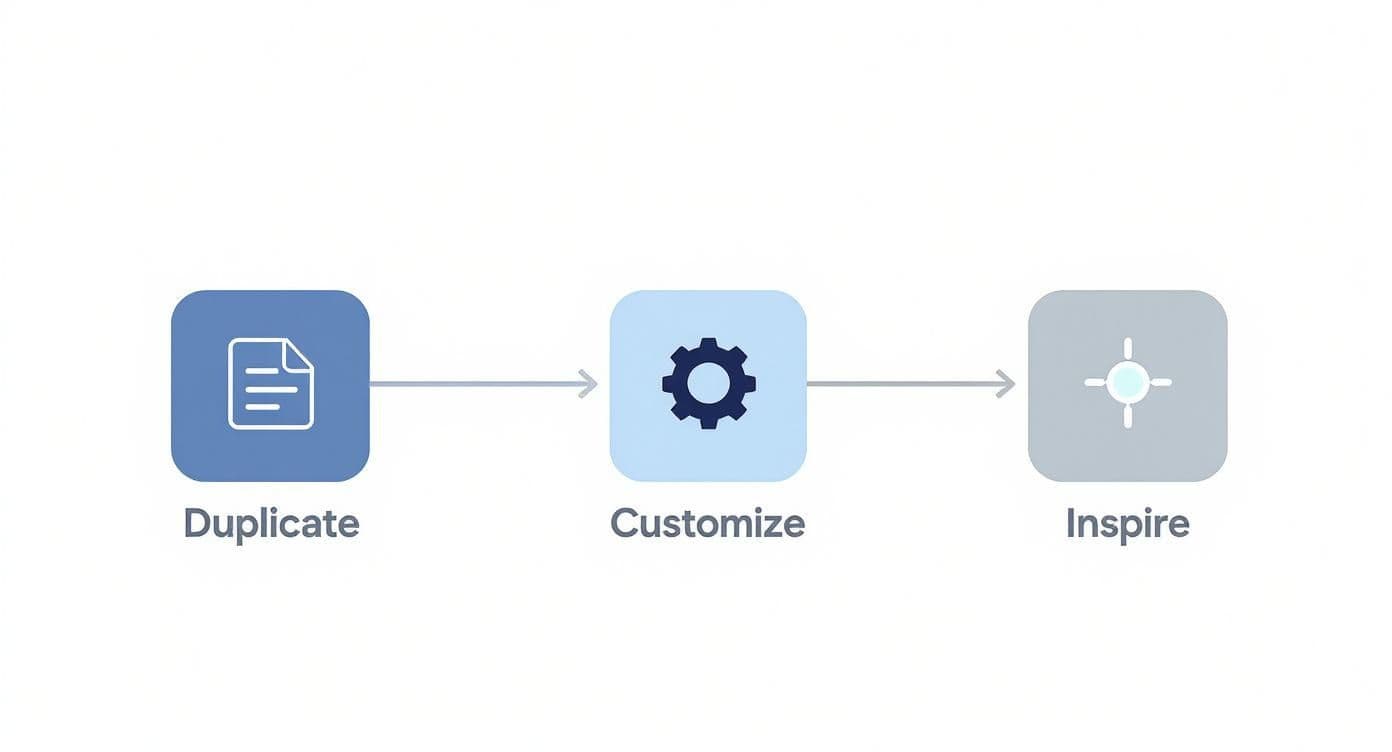
As you can see, once you have the template, the real fun is in the customization—this is where you can build in those automated features that keep you motivated.
Putting Your Progress on Autopilot with Formulas and Rollups
Okay, so your databases are now connected. What's next? This is where we bring in Formulas and Rollups to automatically pull data and run calculations. This is how you get those super-motivating progress bars and dynamic summaries without having to update a single thing manually.
Let's say you're tracking five habits every day. You can use a simple formula to count how many checkboxes you've ticked and then calculate a daily completion percentage. It’s an instant hit of visual feedback.
Here’s a classic setup that works wonders:
- Count Completed Habits: First, a formula property in your daily tracker counts each checked box. This might give you a number like "3/5".
- Calculate Success Rate: A second formula can instantly turn that fraction into a percentage, like 60%.
- Visualize Your Day: My favorite part—a third formula can generate a visual progress bar that fills up as you check things off.
Now, combine this with the relations we just set up. A Rollup property can pull that data into another database. For instance, your weekly agenda could "roll up" the success rates from all seven days within that week and calculate an average weekly success rate.
Suddenly, you have automated weekly reports showing your performance at a glance. You're no longer just looking at a list; you're interacting with a dynamic dashboard for your personal growth.
Integrating Your Tracker Into a Daily Workflow
<iframe width="100%" style="aspect-ratio: 16 / 9;" src="https://www.youtube.com/embed/coAgC2hlKGs" frameborder="0" allow="autoplay; encrypted-media" allowfullscreen></iframe>Having a brilliant Notion habit tracker template is one thing, but making it a seamless part of your daily rhythm is where the magic really happens. The whole point is to remove the friction of having yet another thing to open and manage. You want the tracker to just show up right where you need it, exactly when you need it.
The best way to do this is by pulling your tracker into the pages you already live in every day. For most of us, that means creating a Linked View of the habit database right on a main dashboard or daily planning page. Think of a linked view as a live, filtered window into your main database, so you only see today’s habits without ever leaving your central hub.
Embedding Habits Into Your Core Pages
Getting this flow set up is surprisingly straightforward. On your main dashboard, just type /linked view of database and pick your habit tracker from the list. The crucial step is to then add a filter so it only shows entries where the "Date" property is "Today." That one small adjustment puts your daily habits front and center, ready for you each morning.
You can even get more specific by creating different views for different moments of the day.
- Morning Routine View: A filtered list showing only your morning habits, like "Meditate" or "Plan Day."
- Evening Wind-Down View: A separate view that lives on your daily journal page, nudging you to check off "Read" or "Reflect."
This shifts your tracker from being a passive log into an active system that actually guides you through your day.
A habit tracker shouldn't be a destination you have to remember to visit. It should be a compass that's already part of your map, guiding your daily journey without extra effort.
Aligning Actions with Ambitions
To give your tracking more purpose, start connecting your habits to your bigger goals and projects. If you're a freelance writer, for example, you could create a relation property that links your "Write 500 words" habit to its corresponding article in your "Blog Post Manager" project. Suddenly, when you look at your project, you see a clear record of all the daily work that went into it.
This kind of holistic view is a game-changer for long-term motivation. It directly ties the small, sometimes mundane daily checkboxes to the meaningful outcomes you're working toward. When you can literally see how your daily discipline translates into real progress, sticking with it becomes so much easier.
To really lock it in, I also recommend using something like a dedicated Notion calendar template to block out time for these key habits. By building a workflow that surfaces your habits at just the right moments, you create a powerful, self-reinforcing loop of consistency and achievement.
Common Questions About Notion Habit Trackers
Once you start using a Notion habit tracker template, you'll probably run into a few common questions. It happens to everyone. Getting those sorted out early can make all the difference between a system that sticks and one you abandon after a week.
Let's dive into some of the most frequent things people ask.
How Do I Track Habits That Aren't Daily?
This is a big one. What do you do for habits like "Go to the gym 3x a week" or "Publish one newsletter"? A simple daily checkbox just doesn't cut it for these.
The easiest fix is to change the database property from a checkbox to a "Select" or "Multi-select". This way, you can tag the specific days you did the habit—say, "Monday," "Wednesday," and "Friday" for your gym sessions. Then, you can create a filtered view just for that habit to quickly see if you're on track for the week.
Another great trick is to create different database views for different days. You could have a "Tuesday/Thursday" view that only shows your twice-a-week habits. This keeps your main daily view from getting cluttered with things that aren't relevant today.
What's the Best Way to Visualize My Progress?
Seeing your progress is a huge motivator. Thankfully, Notion gives you some great options. The classic approach is a formula-driven progress bar that fills up as you check things off. Most good templates come with this ready to go.
If you want a bigger picture, a Board view grouped by month is fantastic. Each day becomes a card, so you can see your consistency at a glance and easily spot streaks or patterns over time.
Pro Tip: For a more analytical view, use formulas to calculate a weekly or monthly "Success Rate" as a percentage. The really advanced templates often include pre-built dashboards that turn these numbers into charts, basically giving you an automated performance review.
My Notion Habit Tracker Feels Slow. How Can I Fix It?
If your tracker starts to lag, the culprit is almost always a bloated database. After months or even years of entries, a single database loaded with complex relations and rollups can really slow things down, which is the last thing you want when you're trying to build a quick daily habit.
The solution is surprisingly simple: archiving.
At the end of each month or quarter, just move all those past entries from your main database into a separate "Archive" database. This keeps your active tracker lean and fast, but you don't lose all that valuable historical data. The best templates usually have a button or a clear process for doing this.
At Flowtion, we build our templates with these exact issues in mind. Our systems are designed for long-term use, featuring clean dashboards and simple workflows that help you stay on track without getting bogged down by technical stuff. You can see our full catalog of proven Notion templates at https://theflowtion.com.